SureCall | 48346 Milmont Drive, Fremont CA 94538 | 1-888-365-6283 | support@surecall.com
11
Installing Your Hardware
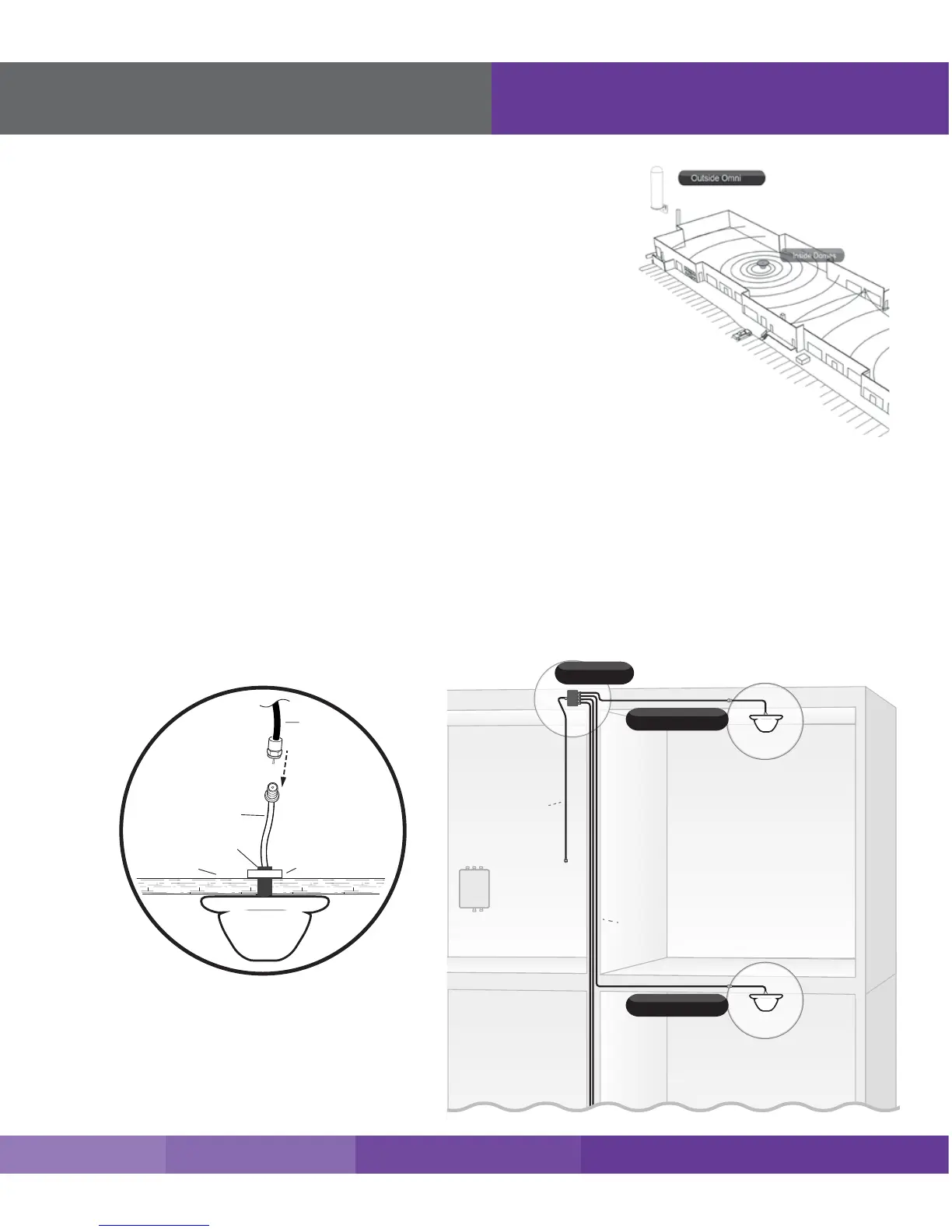
2. Unscrew xing nut from antenna. Place antenna cable through hole.
Screw the xing nut back onto antenna and cable on crawl space side
of ceiling and fasten.
3. Connect antenna to an indoor cable (1 per antenna) of and run along
route to planned location of your booster’s cable splitter.
4. Once all indoor antennas and cables are in place, connect cable runs
from indoor antennas to the splitter ports.
5. Use cable to connect to open end of the cable splitter and run to the
planned location of your booster.
Note: Be sure to provide enough separation from outdoor antenna (at least
75 ft. is recommended).
Important:
• Storage and transportation: Store and place in non-extreme room-temperature and dry environment
• This antenna should not be used near open re or ame.











 To Next Page