User Manual
© 2013 SurgeX / Electronic Systems Protection, Inc. / Technical Support 800.645.9721 / www.surgex.com / 14
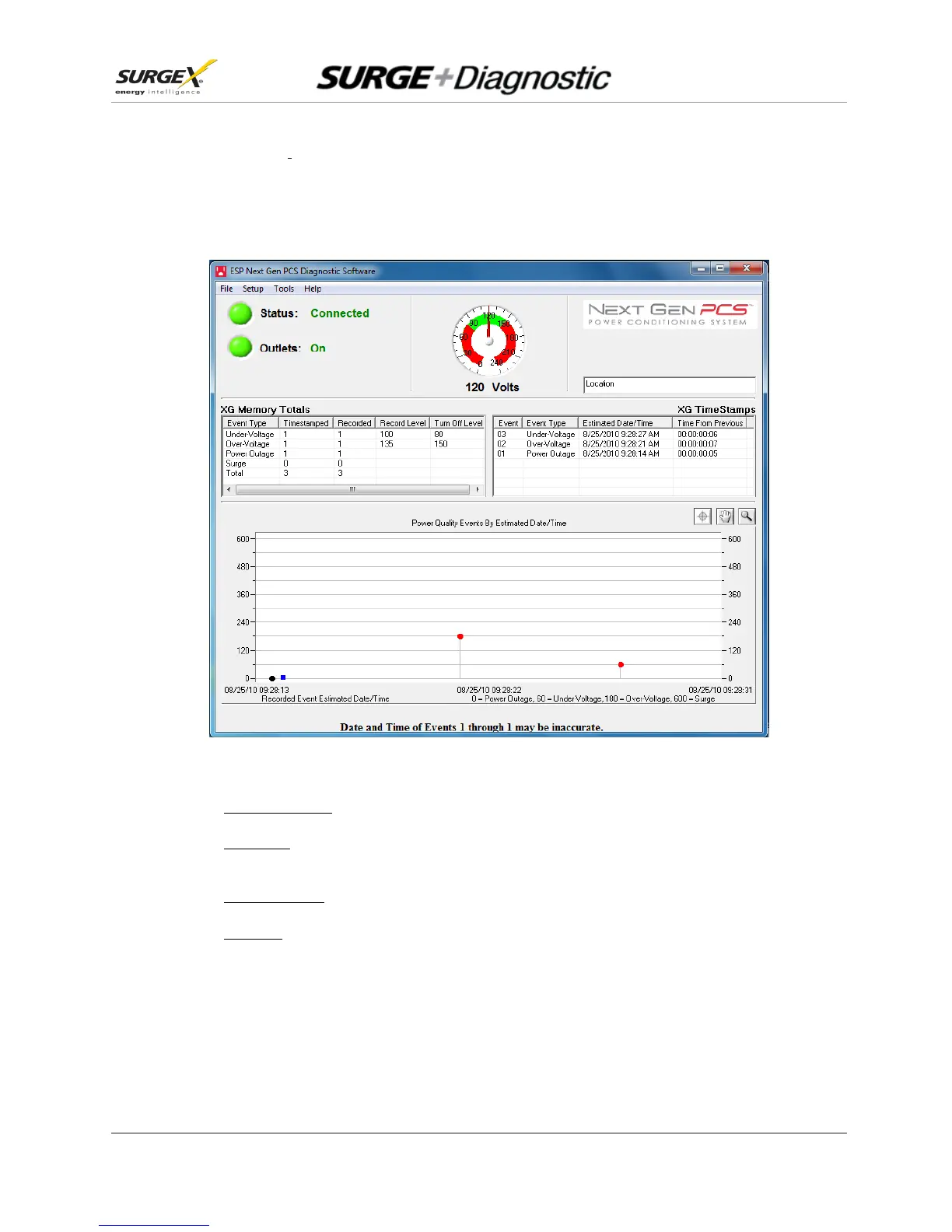
4.2 GUI Overview:
After connecting successfully, several pieces of information gathered from the Surge + Diagnostic will now be
displayed on the Diagnostic Software Graphical User Interface.
a. Connection Status: The current connection status is displayed to the right of the Connect/Disconnect button.
b. Disconnect: Pressing the green button beside “Status” will terminate communications with the Surge +
Diagnostic.
c. Location Textbox: The text entered in the textbox is included with data that is exported to a file.
d. Voltmeter: A real-time AC Voltmeter is displayed in the upper center, which displays the line voltage both
numerically and as an analog meter.


 To Next Page