4. GETTING STARTED
To get the most out of your Suunto D4i, use some time to personalize it and really
make it YOUR computer. Set the correct time and date, the alarms, as well as the unit
and backlight settings.
Suunto D4i is a very user-friendly dive computer, and you will quickly become familiar
with its functions. Make absolutely sure that you know your computer and have it set
up as you want it BEFORE getting into the water.
4.1. TIME mode settings
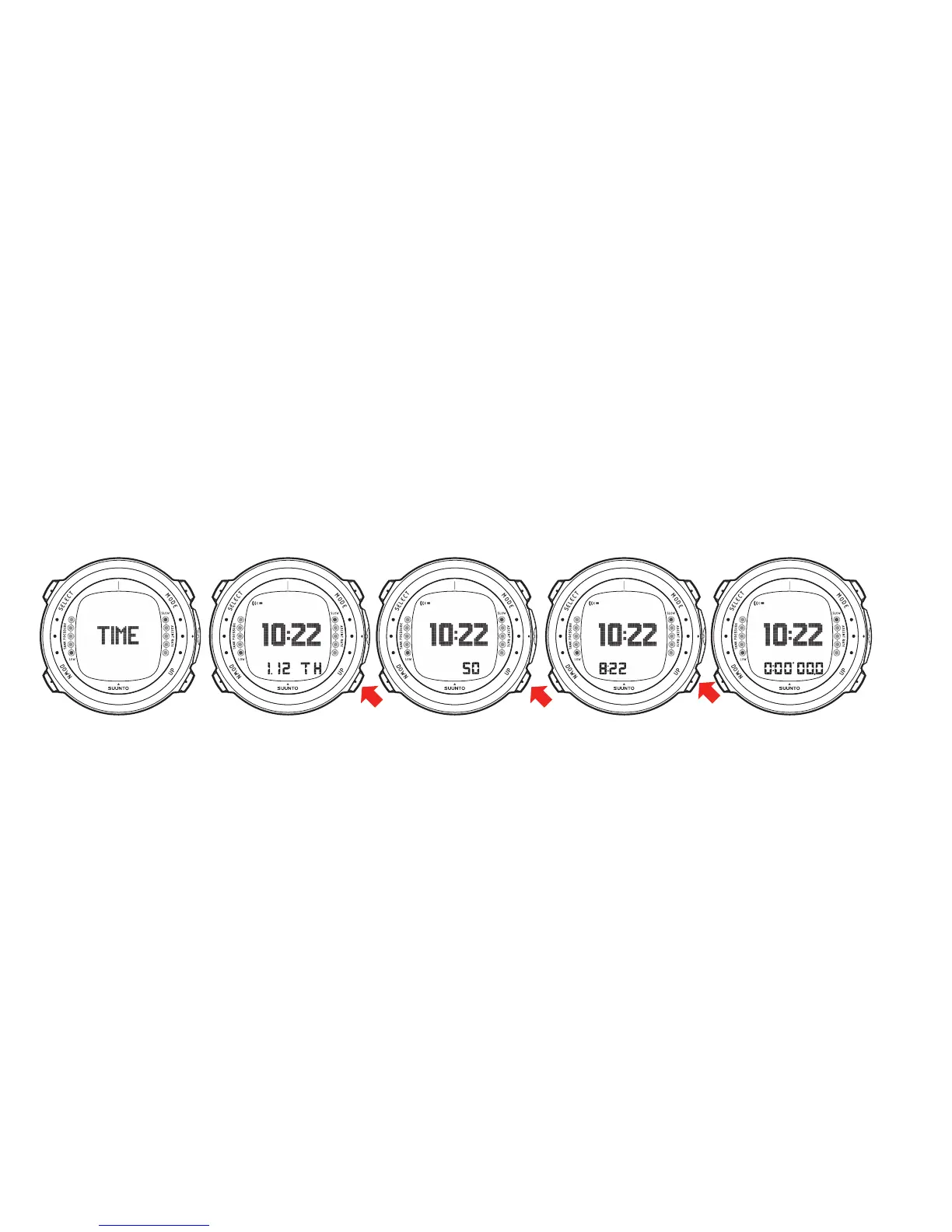
The figure below shows how to toggle between different shortcuts in the TIME mode:
NOTE
The seconds display reverts to date display after 5 minutes in
order to save battery power.
NOTE
The display is illuminated by holding down the MODE button for
more than 2 seconds.
Now that after you know how to toggle between the shortcuts, you can start to set
them.
20


 To Next Page