3.
Attach the regulator to the scuba cylinder and slowly open the valve. Check for
leaks by submerging the regulator first stage in water. If leaks are detected, check
the condition of the O-ring and sealing surfaces.
5.8.2. Pairing and code selection
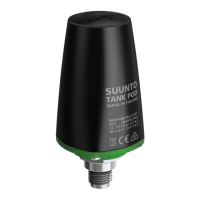
In order to receive wireless data, the transmitter and the Suunto D4i need to be paired.
During the pairing procedure, the dive computer locks on the code that the transmitter
has.
The transmitter is activated when the pressure exceeds 15 bar/300 psi and it then
starts sending pressure data together with a code number. During the pairing procedure,
the Suunto dive computer stores the code number and starts displaying pressure
values that are received with that code. This coding procedure prevents data mix-up
from other divers also using a Suunto wireless transmitter.
When there is no stored code, the Suunto D4i displays “cd:--” and receives data with
lowered sensitivity from a very short distance only. By taking the Suunto unit close to
the transmitter, it will store the received code and start receiving with full sensitivity
and display data received with this code only.
NOTE
The pairing procedure only needs to be performed once, before
the first use. You do not need to redo the pairing unless you
change the transmitter to a new one, or another diver in your
group uses the same code as you.
To pair the transmitter and the Suunto D4i dive computer:
1.
Ensure that the transmitter is properly attached to the regulator’s HP port and
that the regulator is properly attached to the cylinder.
37



 To Next Page