10
To set or check Unit of Measurement settings
If the mode indicator is not on TIME, press the [MODE] button until it is directly below TIME.
1. Press the [MODE] and [SELECT] buttons simultaneously for 3 seconds to enter the setup
mode. The top field will display SET momentarily and then change to UNI.
NOTE: Setup mode will automatically exit if left idle for more than one minute.
2. Press the [SELECT] button for 2 seconds to view the first setting. You will see the first unit
flashing.
WARNING: If you perform a short press of the [SELECT] button while in the UNI setting
mode, you will switch to Pressure Sensor Calibration. Refer to the next section for more details.
3. Press the [SELECT] button to move to the unit you want to change. You can change the
flashing unit. The units are in the following order: m/ft, m/min / ft/min, hPa/inHg, ºC/ºF.
4. Press the [ON OFF] or [QUICK] button to toggle between the metric and imperial settings.
5. To confirm the setting(s), press the [MODE] button.
6. To exit the setup process, press the [MODE] button again.
PRESSURE SENSOR CALIBRATION
WARNING: This is a FACTORY CALIBRATION SETTING. Do not enter this mode.
If you enter this mode in error, exit immediately by pressing the [MODE] or [SELECT] button
to return to the UNI setting mode. Normally there is no need to alter the calibration.
If the Pressure Setting Calibration has been altered, you can return the factory setting. Proceed
as follows: In the calibration setting mode, scroll the barometric pressure value up or down until
text REF appears. This is the factory setting. Then exit by pressing [MODE].
BATTERY REPLACEMENTS
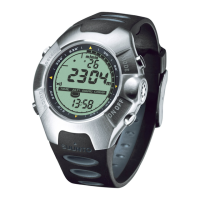
The Observer operates on a three-volt lithium cell Type: CR 2032. The maximum life expect-
ancy is approximately 12 months.


 To Next Page