29
5. When the current sea level pressure is displayed, press the [MODE] button to accept the
changes and exit.
Once you complete this process, the altitude measurement on the Observer should be correct
within a range of approximately ten meters or some tens of feet.
NOTE: Information on the current sea level pressure can be obtained through newspapers,
local news and radio weather reports, the local airport facility or through the Internet under
local weather.
NOTE: Setup mode will automatically be released if left idle for more than one minute.
4-DAY MEMORY MODE
In the Barometric mode, PRESS the [SELECT] button once to enter this sub mode. This feature
allows you to follow changes in pressure that will assist you in forecasting changes in weather
condition (i.e. storms).
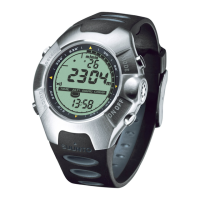
In the 4-day memory mode the display fields are as shown in Fig. 4.2:
a) The top field displays the day of the week;
b) The middle field displays the sea level pressure;
c) The bottom field displays the time corresponding to the pressure in the middle field and the
text MEM; and
d) The outer circumference of the LCD graphically displays the atmospheric pressure where
one full circle equals 100 hPa or 1 inHg.
To view the information compiled in the 4-day memory:
Press the [QUICK] button to scroll through the history of recordings beginning with increments
of one hour for the first six hours, after that increments are 6 hours.
Press the [ON OFF] button to scroll back up to the most recent recording.


 To Next Page