8 DURING TRAINING
Suunto Quest gives you additional information during training. You can define
what information you want to see on the display. For information about
settings, displays, and training customization options, see Chapter 10 Adjusting
settings on page 27 and Section 11.2 Customizing displays in
Movescount on page 35. This section describes how to scroll through additional
information during a training session using Suunto Quest default settings.
Here are some ideas on how to use the device during training:
●
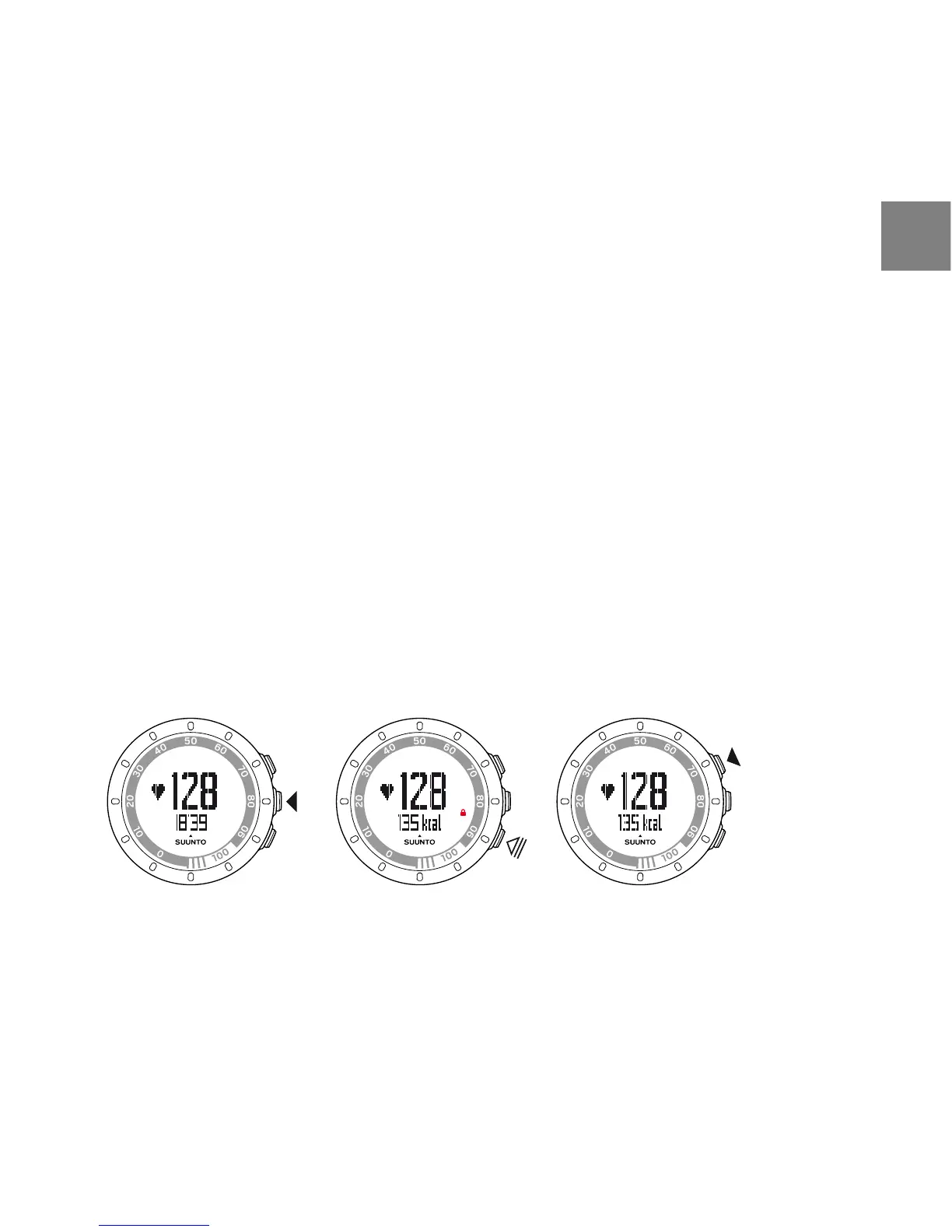
Press NEXT to see additional information in real time.
●
Keep LIGHT LOCK pressed to lock the START STOP button to avoid accidentally
stopping your stopwatch.
●
Press START STOP to pause the training session.
The additional information varies depending on what information is available
and also on your personal choice and preference. As a default, if both HR and
POD are available, the following information is displayed:
In the default training custom mode:
●
view 1: heart rate and stopwatch
●
view 2: heart rate and calories in real time
●
view 3: heart rate percentage and heart rate zone
19
en



 To Next Page