9 AFTER TRAINING
9.1 After training
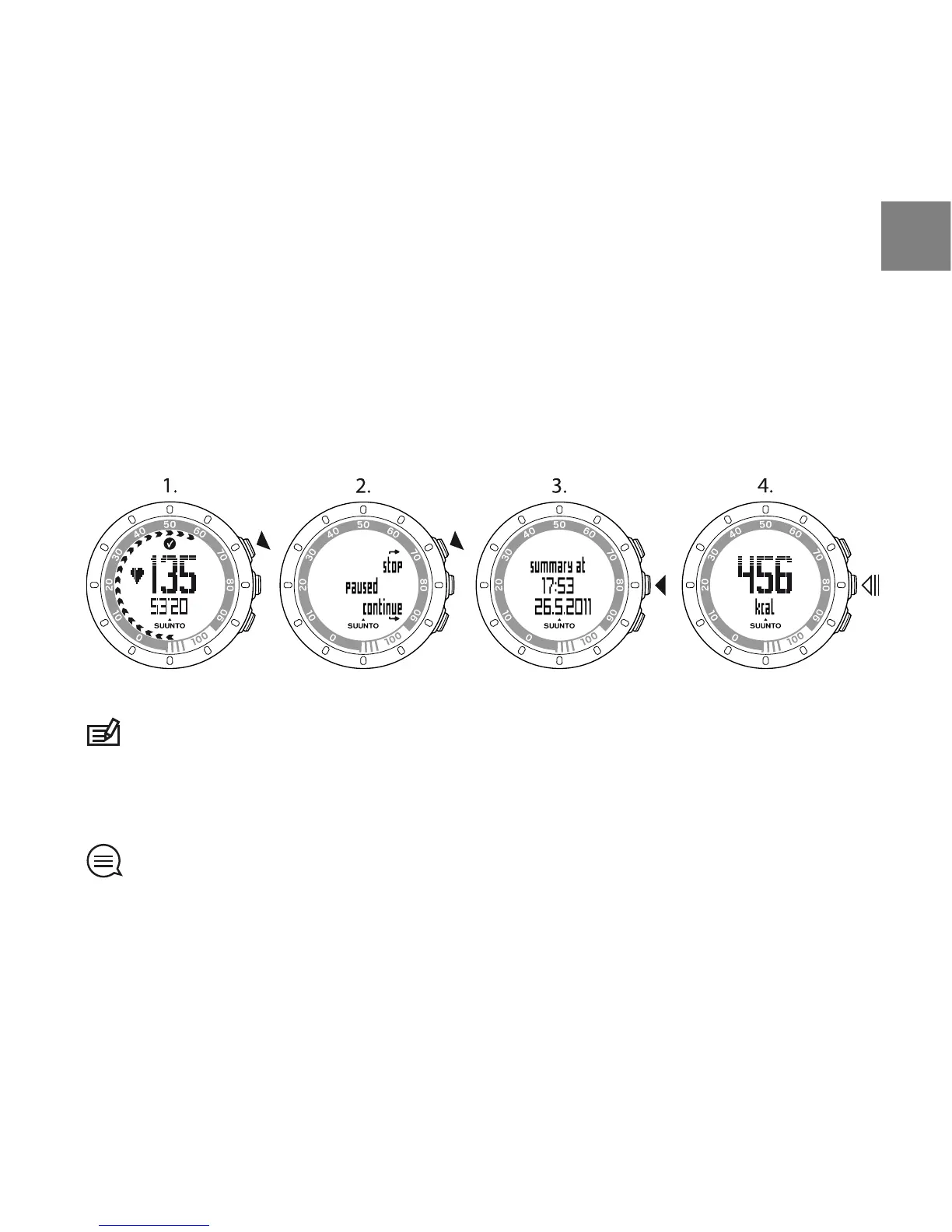
1. Press START STOP to pause or stop the training session.
2. Select stop to confirm stopping and to view the summary, or select
continue to continue training.
3. Press NEXT to browse through the different views of the summary.
4. Keep NEXT pressed to return to the time view.
NOTE: If your peak HR during training has exceeded your maximum HR set in
the device settings, the device automatically asks if you want to update your
maximum HR.
TIP: You can skip the summary by keeping NEXT pressed in the first summary
view. To view the previous training summary later, press START STOP in the time
view and select prev. Move.
23
en



 To Next Page