Countdown timer
Countdown timer functions as a start timer. It measures remaining time and upon
reaching zero, it alerts you when the countdown has reached zero and automatically
starts the timer/log. Use the countdown timer for example to exclude the warm-up
session from the training log.
NOTE: The maximum countdown time is 59 mins 59 seconds.
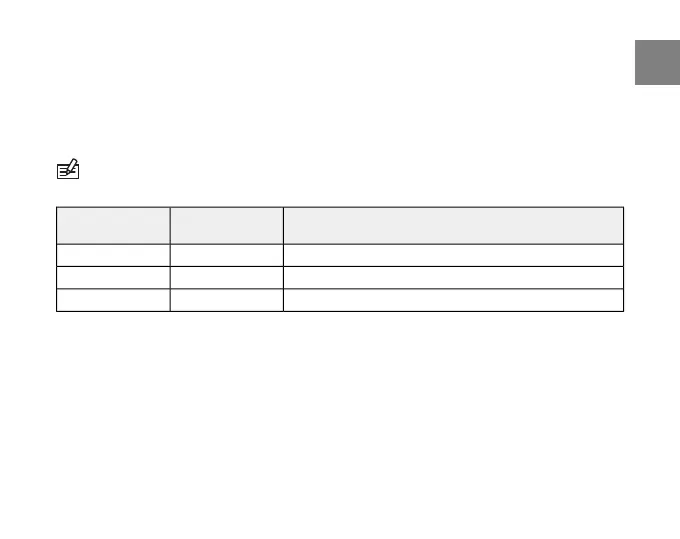
DescriptionValueSetting
Timer for interval training00.00interval
Timer for a warm-up period00.00warm up
Countdown to timer start00.00countd
To set the timers:
1. In the settings menu, enter TRAINING.
2. Scroll to TIMERS with [Lap +] and [Light -] and enter with [Mode].
3. Scroll through the timers with [Lap +] and [Light -] and select a timer with [Mode].
4. Set the timer on or off with [Lap +] and [Light -] and accept with [Mode].
5. Change the values with [Lap +] and [Light -] and accept with [Mode].
6. Press [Start Stop] to exit.
33
en



 To Next Page