10
OWNER’S MANUAL
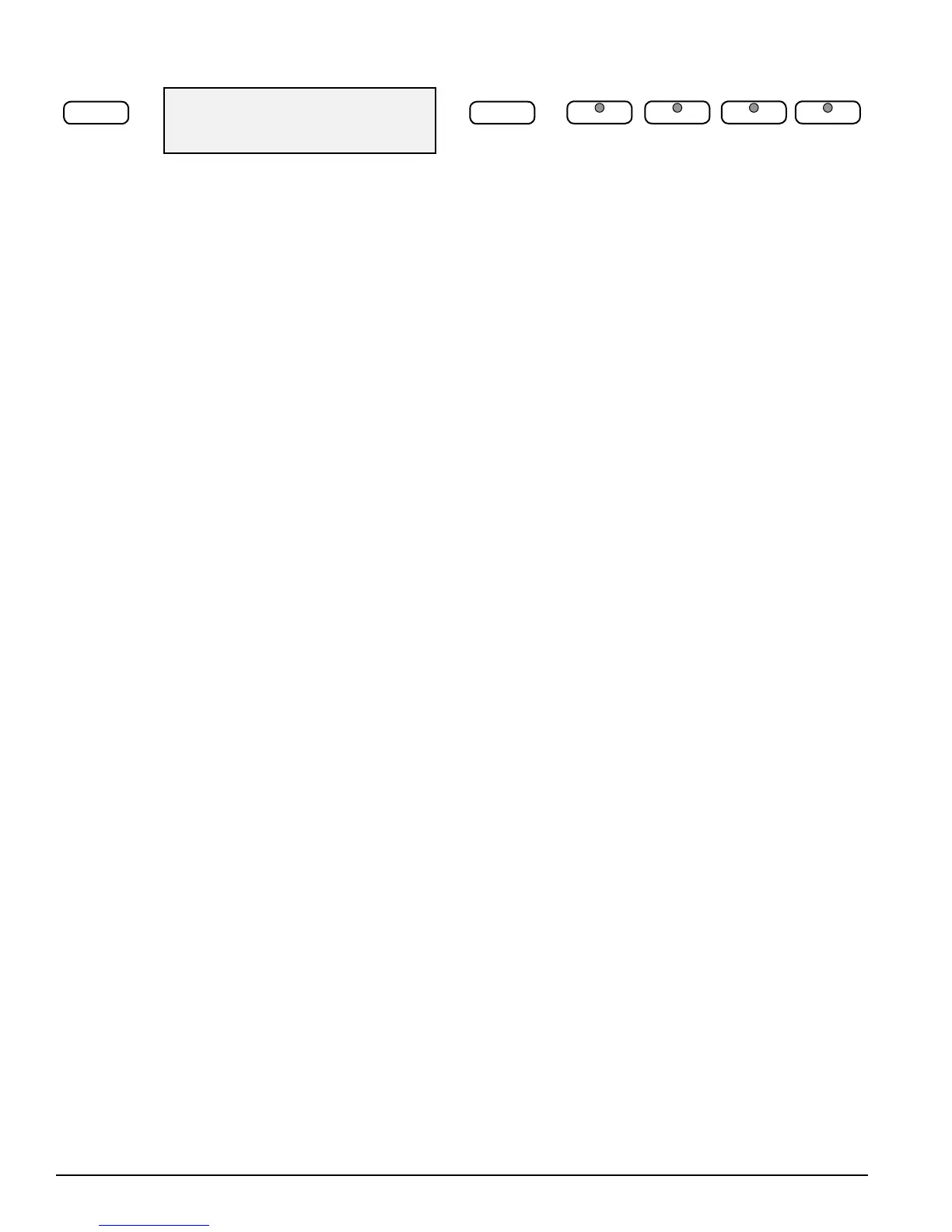
ALL: Demo Song
–/NO +/YES
/ /
LAYER LOWER REVERB CHORUS
2) 2! 2@ 2#
/
ENTER KEYS Use the YES/+, NO/– buttons directly while using the voice or
function settings. These buttons are also used to access or alter many of the
function features or when input is necessary.
2)
LAYER Engaging the LAYER button will put the keyboard in the layer mode.
Layer refers to an additional voice that is “tone mixed” with the selected keyboard
voice. The assigned layer voice will be heard together with the original voice. To
select a new layered instrument voice use the YES/+ or NO/– buttons within 3
seconds after the LAYER button has been engaged.
2!
LOWER With the Lower feature engaged the keyboard operates in the “split”
mode. In the Lower mode the keyboard is divided into two sections. In the right
hand section the original and/or layered voice will sound, and in the left hand
section a dierent voice can be assigned to sound when the keys are played. To
select a new Lower instrument voice use the YES/+ or NO/– buttons within three
seconds after the LOWER button has been engaged.
2@
REVERB The reverb eect is engaged automatically when the power is turned
on. Reverb simulates the eect of playing in a big room or hall where the sound
reverberates o the walls and ceiling. Press the REVERB button to turn o the
reverb eect. You can switch the reverb feature on and o by pressing the REVERB
button. Reverb depth can be changed in the function menu.
Please see the Function Section for more information.
2#
CHORUS The Chorus eect adds depth and spaciousness to the selected
keyboard voice. Press the CHORUS button to engage the chorus eect and the
indicator will light up. Press the button again to turn o the chorus eect. Chorus
depth can be changed in the function menu.
Please see the Function Section for more information.



 To Next Page