7
DUALITY DIGITAL PIANO
Panel Controls
q
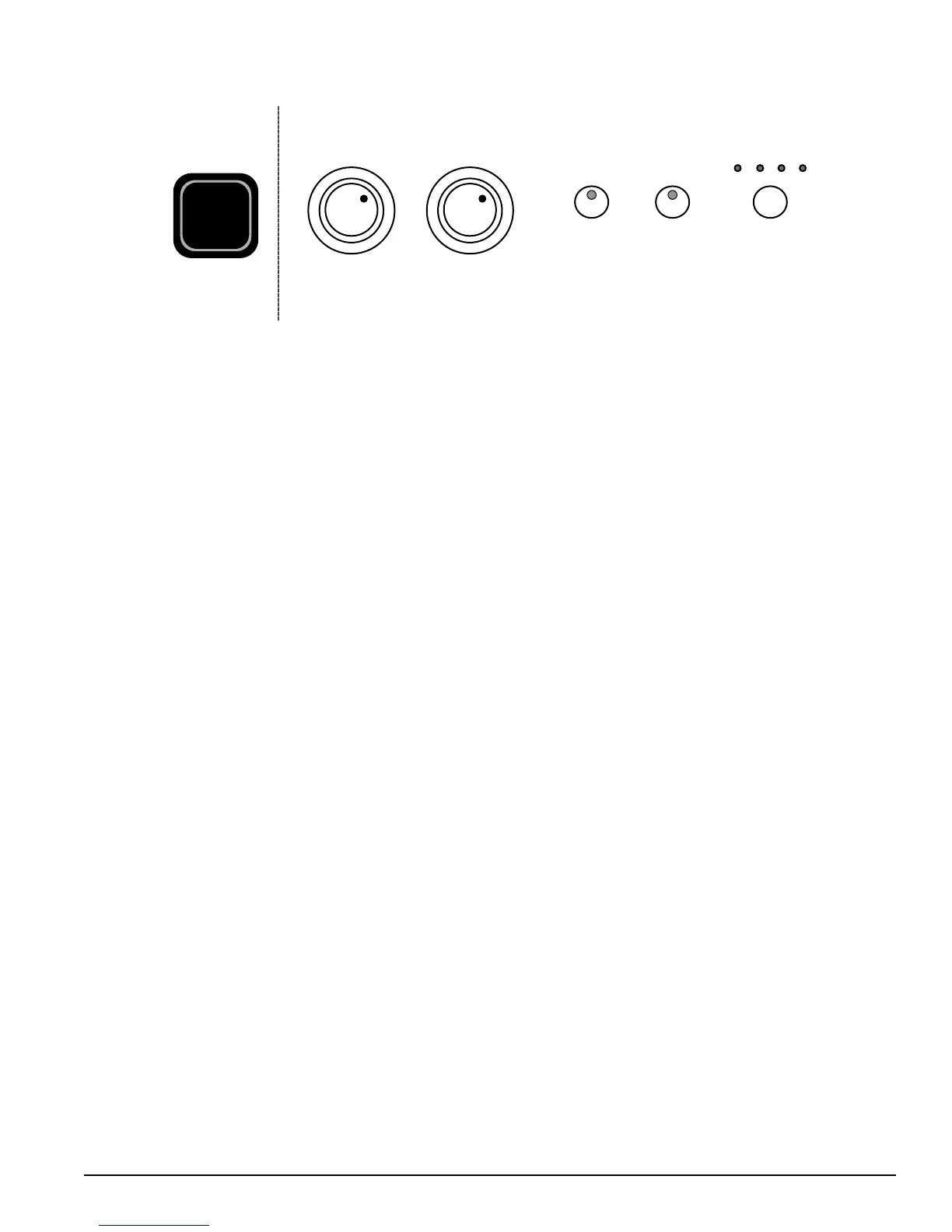
VOLUME ACCOMP VOLUME
SETUP
METRO TEMPO
w e
r t y
The elegant control panel is divided into several distinct sections. The following is a brief description of
all the features located on the control panel.
q
POWER SWITCH The power switch is located to the left of the keyboard.
Press the button to turn the power on and o.
Note: When you turn the power o, do not turn it back on immediately. Wait at least
ve seconds to turn the power back on so that the electronic circuits can properly reset.
w
MASTER VOLUME Turn this knob to the right to increase the overall volume of
the piano, and to the left to decrease the volume.
e
ACCOMP VOLUME Turn this knob to adjust the volume of the auto
accompaniment only, the keyboard instrument voice will not be aected.
r
SETUP Press the SETUP button to enter the functionality setup mode.
Press the SETUP button repeatedly to change the item to manipulate. Press the
–/NO +/YES button to select option or set value for the item. When enter to the
next item by pressing the SETUP button, the setting for the last item will be xed.
Press any button except –/NO +/YES and SETUP button, the Function mode will
exit and return to voice select mode.
t
METRONOME Press the METRO button to engage the built-in metronome. Use
the YES/+ and NO/– buttons with the metronome engaged to choose the meter of
your choice, 1/4, 2/4, 3/4, 4/4, 5/4, 6/4, 6/8 or 12/8 time.
y
TEMPO Press the TEMPO button, the current tempo value will appear on the
display. You can use the +/YES and –/NO buttons to change the tempo value range
from 40 to 240 bpm (beats per minute).
There is a four-dot beat indicator above the tempo button. It indicates the speed of
the Tempo.



 To Next Page