19
DUALITY DIGITAL PIANO
Rhythm Section
Rhythm Style Selection — This piano oers 100 rhythm styles and a variation of each style pattern
to choose from. There is a complete list of all 100 styles in the back of the manual.
STYLE VARBIG BAND
BOSSA NOVA
SWING
ROCK
LATIN
POP
OLDIES
BALLAD
USER 2
USER 1
Quick Select
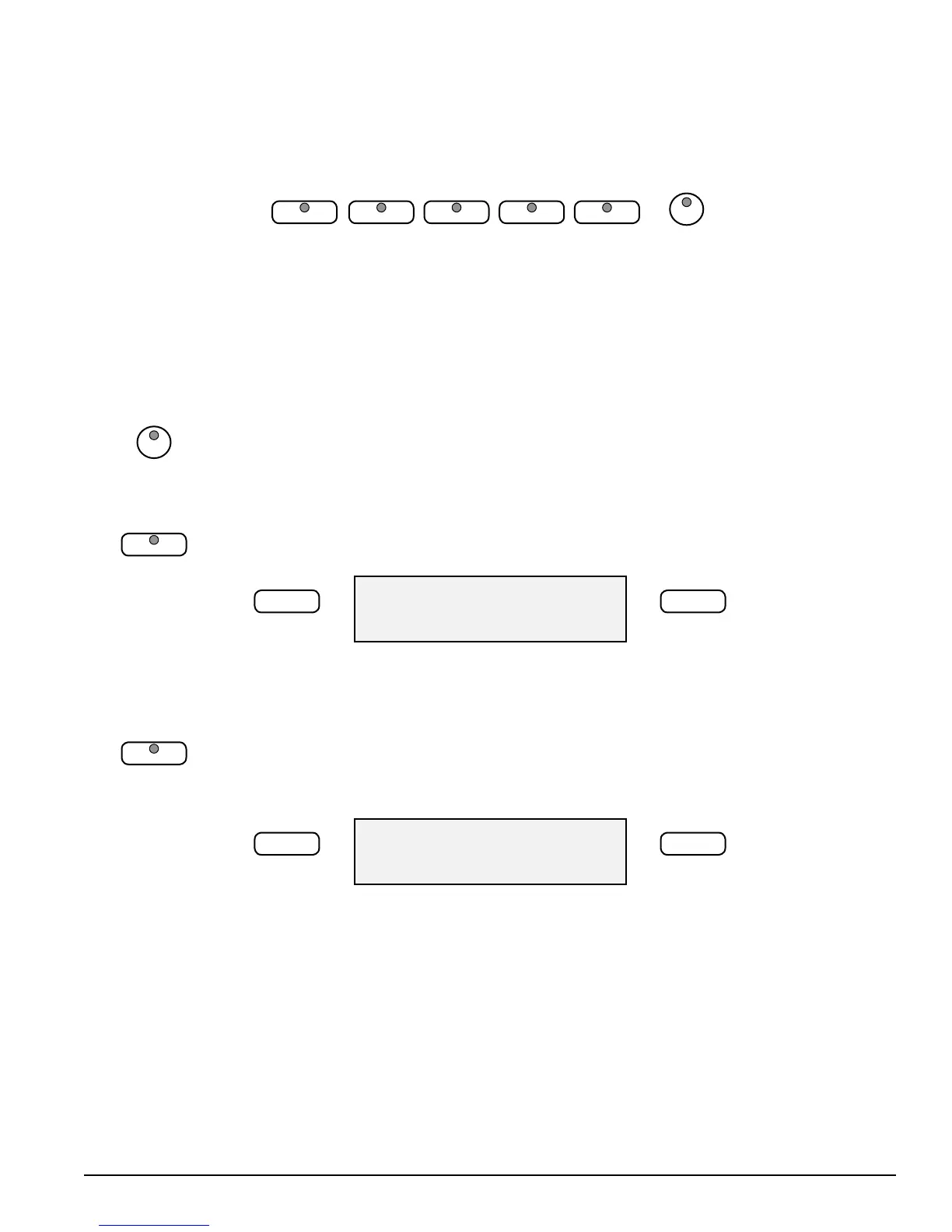
There are ten styles that can be selected quickly by pressing one of the ve style
select buttons. These styles are assigned to the top Line A and bottom Line B. Each
Rhythm Style Line consists of ve styles. The style name in Line A is printed above
the style select button and the voice name in Line B is beneath the button.
1. 1. Pressing the STYLE VAR button will toggle between the top row of Rhythm Styles
and the bottom row of Rhythm Styles.
The indicator will be lit when bottom Line B row is selected.
2. Press the style quick select button that corresponds to the desired style in the Line
you have selected. The style name and its number will show on the display.
75: Bossa Nova1
–/NO +/YES
Selecting One Of The 100 Styles
1. Press any of the quick select rhythm buttons to engage the style selection mode,
the LCD Display will show the selected Style.
2. Use the +/YES, –/NO buttons to select your desired Rhythm Style.
75: Bossa Nova1
–/NO +/YES
There is a complete list of all 100 Rhythm Style Accompaniments available in the back
of this manual.
STYLE VAR
LOUNGE
BOSSA NOVA
LOUNGE
BOSSA NOVA



 To Next Page