15
DUALITY DIGITAL PIANO
Demo Songs
There are thirteen demonstration songs in this piano.
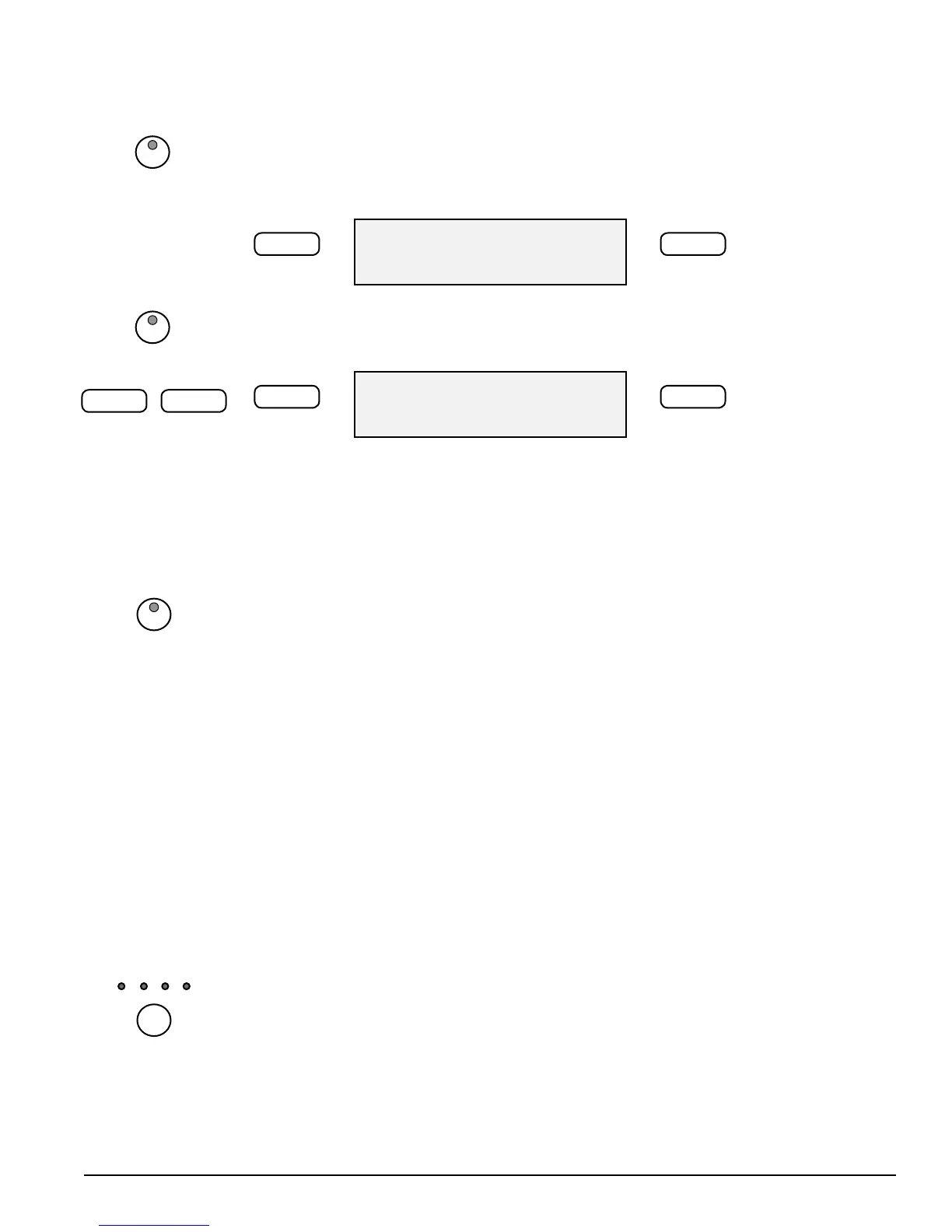
1. Play All Demo Songs — Press the DEMO button. The rst demo song will playback
instantly. If left untouched all thirteen songs will play back consecutively until you
press the DEMO button again to stop the demonstration.
ALL: Demo Song
–/NO +/YES
2. Play A Single Demo Song - Use the +/YES or the –/NO buttons to change songs
while the demo is playing,
d-9: Demo Song
–/NO +/YES
There are 50+ “play along songs” for the musical training course that can also be
played back for your enjoyment.
Please see the Play Along Song section of this manual for more information.
Metronome
Press the METRONOME button; the built-in metronome will start to play with the
current tempo and selected beat pattern.
Use the –/NO +/YES buttons to change the beat pattern in sequence of 1/4, 2/4,
3/4, 4/4, 5/4, 6/4, 6/8 and 12/8.
When the metronome sounds, the beat indicator will ash per the beat pattern
above the Tempo Button.
Press the METRONOME button again to stop the metronome.
Metronome Volume
Control the volume of the Metronome with the Accompaniment Volume Knob on
the Control Panel.
Note: Reverb and Chorus sound eect apply to the metronome sound.
Tempo
Press the TEMPO button to enter the tempo setting mode.
The LCD display will show the current tempo value (the default is 120). Use the –/
NO +/YES button to change the tempo range from 40 – 240;
If you press and hold down either the –/NO or the +/Yes button, the tempo will
change continuously until you release the button.
To Exit this mode press any control panel button except –/NO +/Yes, or if you wait
for 5 seconds, the display will return to show the selected voice or style.
DEMO
–/NO +/YES
DEMO
METRO
TEMPO



 To Next Page