8
OWNER’S MANUAL
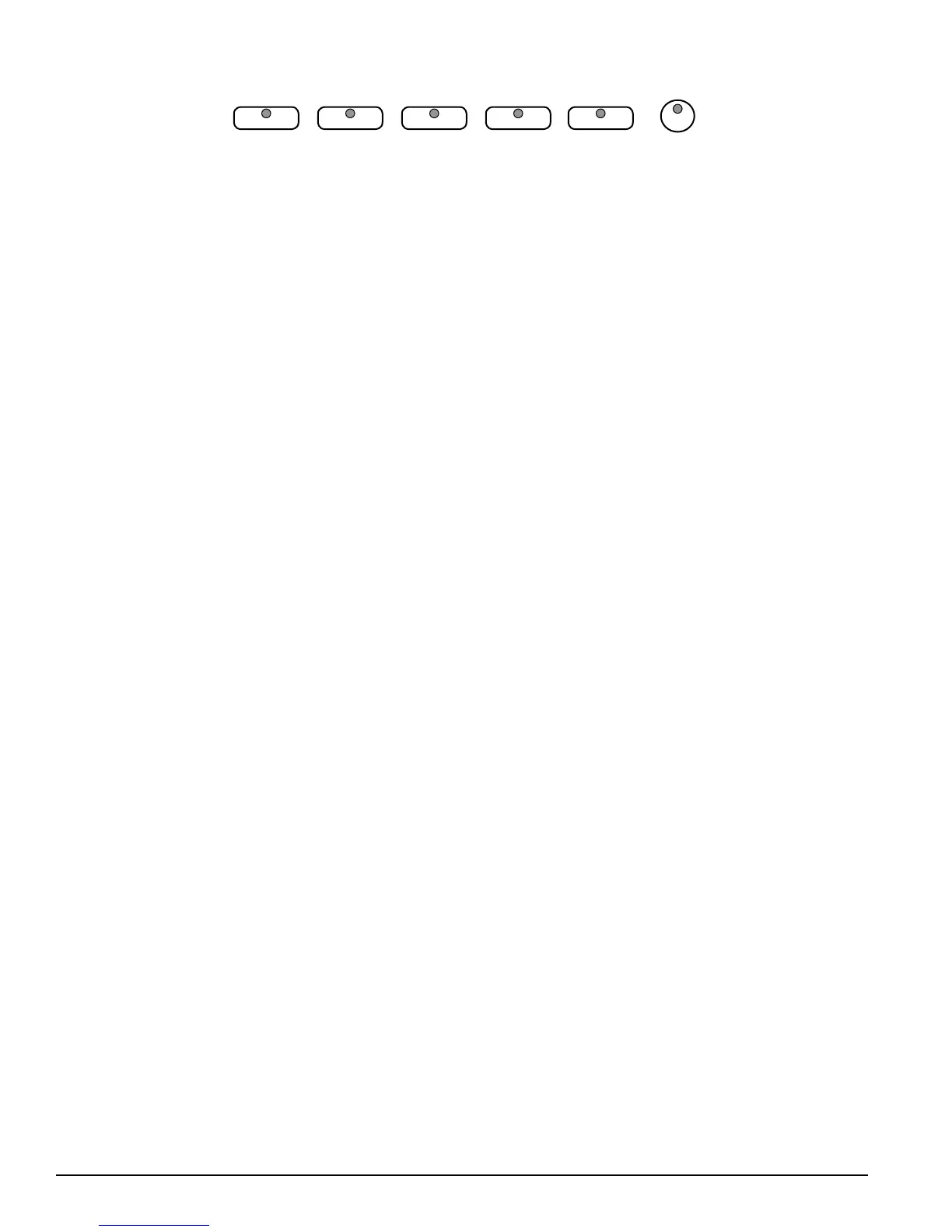
ACCOMPSYNCH START START/STOP INTRO/ENDING FILL IN VARIATION
u i o z x
u
SYNC START Synchronized Start mode sets the auto accompaniment into
standby mode. When the SYNC START button is pressed the indicator lights above
the tempo will ash to the Tempo of the selected rhythm style. The rhythm style
will start as soon as you play in the auto accompaniment section of the keyboard.
The auto accompaniment will start with the rst recognized chord played in the
auto accompaniment section of the keyboard, depending on which ngering
mode is selected. Pressing the SYNC START button again will stop the auto
accompaniment and put the keyboard back on standby mode.
i
START/STOP This button starts or stops the selected rhythm style. The auto
accompaniment will start with the rst recognized chord played in the auto
accompaniment section of the keyboard, depending on the ngering mode
selected.
o
INTRO/ENDING All of the 100 rhythm styles can be started or nished with an
detailed individual introduction or ending pattern.
When engaged, an introduction of rhythm pattern will start followed by the
main pattern. With a rhythm or accompaniment pattern already engaged the
accompaniment can be professionally completed with an ending pattern from the
next measure by pressing the INTRO/ENDING button. If you press the ll-in button
during the ending pattern it will return to the main accompaniment pattern.
z
FILL IN The ll-in provides the accompaniment with a short rhythm pattern of
one or two measures for each style. Press the FILL IN button at any time while the
accompaniment is playing to add a ll-in. If you hold down the FILL IN button, the
ll-in pattern will repeat until the button is released, then the main pattern will play
from the beginning of the next measure.
x
VARIATION All of the 100 rhythm styles include a variation of that style that
can be played simply by engaging the VARIATION button. Press the VARIATION
button again to disengage and return to the main pattern.



 To Next Page