22
EN
Getting started
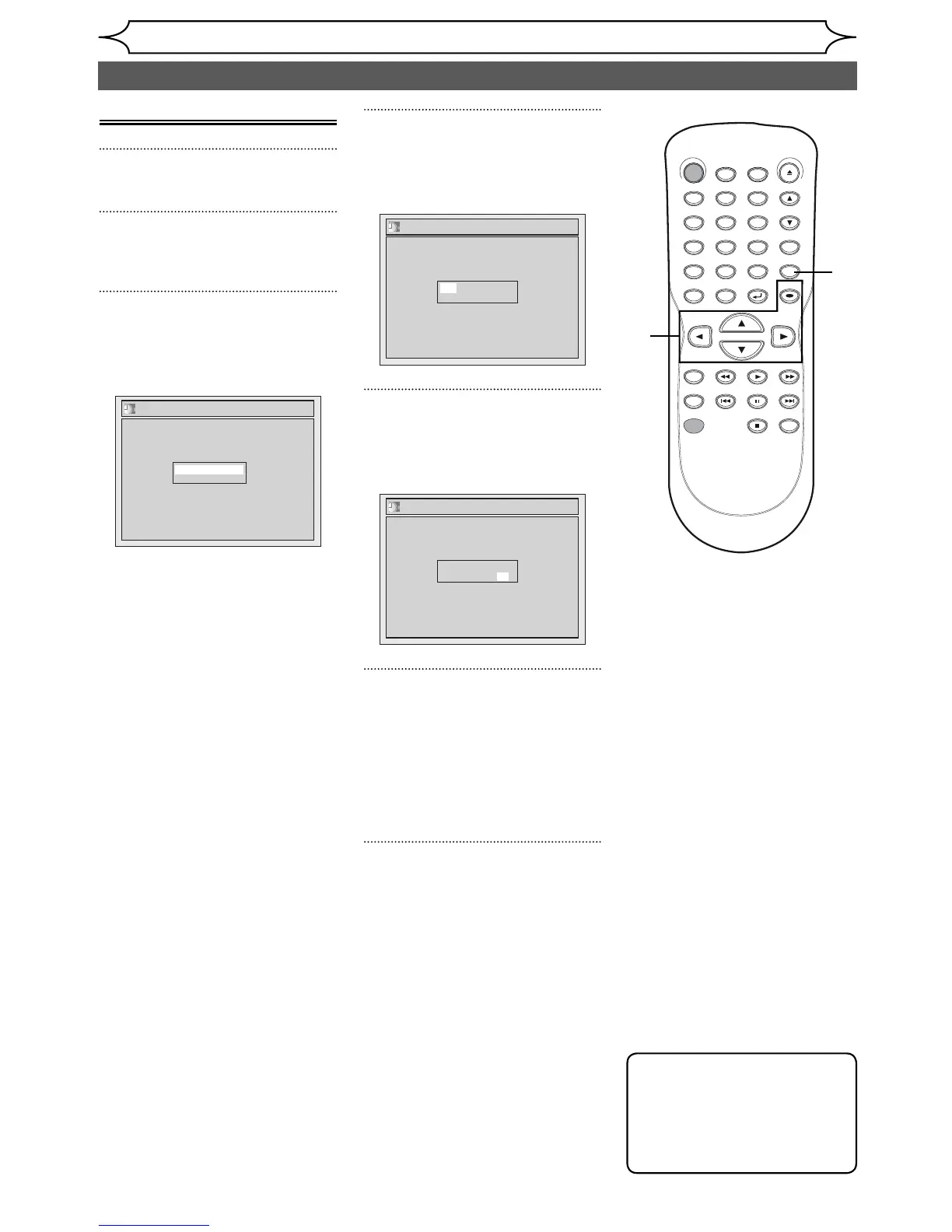
Manual Clock Setting
1
Press [SETUP].
2
Using [K / L], select “Clock”.
Press [OK].
3
Using [K / L], select “Clock
Setting”. Press [OK].
Clock Setting menu will appear.
Clock Setting
---- / -- / ---- ( ---- )
-- : -- --
Press [OK] again.
Default date will appear.
4
Using [K / L], enter the date
(month / day / year).
Press [{ / B] to move the cursor.
Clock Setting
JAN / 01 / 2006 ( SUN )
12: 00 AM
5
Using [K / L], enter the time
(hour / minute). Press [{ / B].
A cursor will move to AM.
Clock Setting
JAN/ 01 / 2006 ( SUN )
12: 00 AM
6
Press [K / L] to select “AM” or
“PM”. Press [OK].
Clock menu will appear, then the
settings will be activated.
Although seconds are not dis-
played, they begin counting from
zero.
7
Press [SETUP] to exit, if Clock
menu appears.
Note
•
Your clock setting will be lost if
either there is a power failure
or this unit has been unplugged
for more than 30 seconds when
you set the clock manually.
Setting the clock (cont’d)
STANDBY-ON
.@/: ABC DEF
GHI
OPEN/CLOSE
ZOOM
TIMER
PROG.
1
PQRS
4
DISPLAY
7
TITLE
REC MODE
RAPID PLAY
REC
REV
PREV
PLAY
PAUSE
STOP
FWD
NEXT
CM SKIP
JKL
2
TUV
5
SPACE
8
DISC MENU
0
MNO
3
WXYZ
6
CLEAR
9
RETURN
CH
REPEAT
SETUP
OK
2
3
4
1
7
5
6



 To Next Page