36
EN
Recording
Note
• Once you have finalized a
disc recorded on DVD+R/
DVD-R, you cannot edit or
record anything on that disc.
• There is no need to finalize
DVD+RW discs.
• When you insert a DVD-RW
disc finalized with this unit,
“Undo Finalize” will appear
instead of “Finalize”.
To release the finalizing
for the disc, select “Undo
Finalize” at step 3.
* DO NOT power off during
finalization, this will result in
malfunction.
DVD+R
DVD-R
+VR
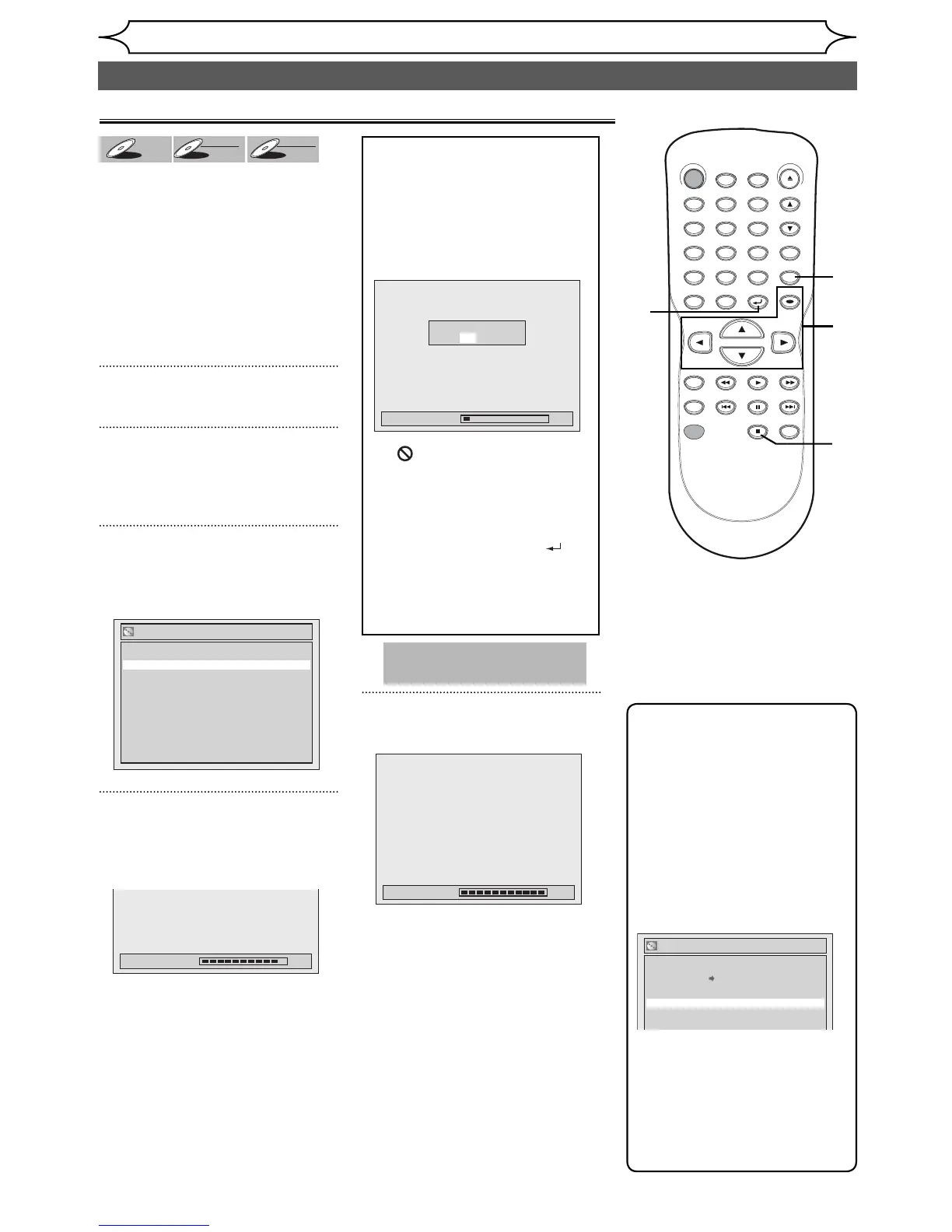
You will need to finalize discs to
play in other DVD players.
Finalizing may take several
minutes up to an hour.
A shorter recording period on
the disc will require a longer time
period for finalization. Do not
unplug the power cord during
finalization.
Details are on page 25.
1
Press [SETUP].
2
Using [K / L], select “Disc Edit”.
Press [OK].
Disc menu will appear.
3
Using [K / L], select “Finalize”.
Press [OK].
Confirmation window will appear.
4
Using [K / L], select “Yes”.
Press [OK].
Finalizing will start.
5
Finalizing is completed.
Finalizing 100%
Finalizing 90%
Finalize
No
Yes
To cancel finalizing...
(DVD-RW only)
• To cancel finalizing at step 4,
press [STOP C], select “Yes”
with [{ / B], then press [OK].
Finalizing is canceled and the
unit will be in stop mode.
• If appears when pressing
[STOP C], you cannot cancel
finalizing because the finalizing
has been in certain progress.
• When selecting “No” and
press [OK] or [RETURN
] ,
finalizing will be continued.
• You cannot cancel finalizing the
DVD+R/DVD-R disc once it has
started.
Finalizing 5%
Do you want to cancel ?
Yes No
Disc Edit
Edit Disc Name
Erase Disc
Undo Finalize
Disc Protect OFF ON
Playing the discs in other DVD players
Finalizing a disc
This operation may take a
while to be completed.
STANDBY-ON
.@/: ABC DEF
GHI
OPEN/CLOSE
ZOOM
TIMER
PROG.
1
PQRS
4
DISPLAY
7
TITLE
REC MODE
RAPID PLAY
REC
REV
PREV
PLAY
PAUSE
STOP
FWD
NEXT
CM SKIP
JKL
2
TUV
5
SPACE
8
DISC MENU
0
MNO
3
WXYZ
6
CLEAR
9
RETURN
CH
REPEAT
SETUP
OK
1
2
3
4
4
4



 To Next Page