18
EN
STANDBY-ON
.@/: ABC DEF
GHI
OPEN/CLOSE
ZOOM
TIMER
PROG.
1
PQRS
4
DISPLAY
7
TITLE
REC MODE
RAPID PLAY
REC
REV
PREV
PLAY
PAUSE
STOP
FWD
NEXT
CM SKIP
JKL
2
TUV
5
SPACE
8
DISC MENU
0
MNO
3
WXYZ
6
CLEAR
9
RETURN
CH
REPEAT
SETUP
OK
Getting started
3
4
1
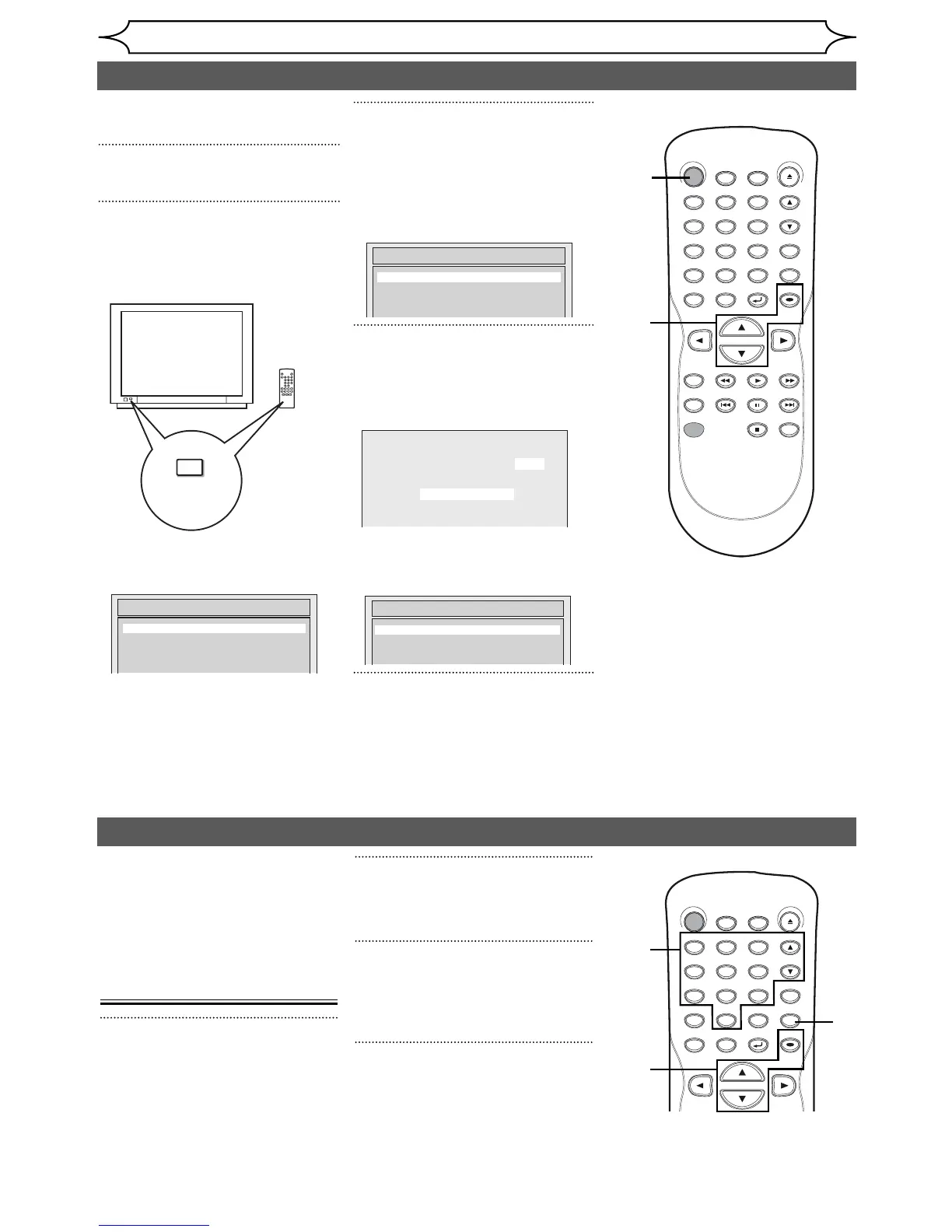
Initial setting
Turn on this unit for the first time,
you need to follow these steps.
1
Press [STANDBY-ON].
2
Turn the TV on. Select the input
to which the unit is connected.
Refer to the table on page 13.
“Initial Setup” will automatically
appear.
3
Using [K / L], select your
desired language on screen
menu. Then press
[OK] to set
language.
“Channel Preset” will automatically
appear.
4
Press [OK] to start Channel
Preset.
The unit will start getting channels
available in your area.
After channel setting is finished,
“Clock Setting” will appear.
Then press [OK].
5
Follow to step 3 in “Manual
Clock Setting” on page 22.
•
If a Public Broadcasting Station (PBS)
is available in your area, follow
“
Auto
Clock Setting
”
on page 21.
Channel setting
2
Using [K / L], select “Channel”.
Press [OK].
Channel menu will appear.
3
Using [K / L], select “Auto
Channel Preset”. Press [OK].
The unit will start getting channels
available in your area.
4
Press [SETUP] to exit.
• You can select only the
channels memorized in this
unit by using [CH K / L] or the
Number buttons.
TV / VIDEO
*This button can
be labeled as
INPUT , AUX , etc.
TV's original
remote control
Auto Presetting Now
CH 1
If you have changed antenna
connection, we recommend that
you program available channels
in your area with the following
procedures.
Getting channels
automatically
1
Press [SETUP].
Initial Setup
Channel Preset
STANDBY-ON
.@/: ABC DEF
GHI
OPEN/CLOSE
ZOOM
TIMER
PROG.
1
PQRS
4
DISPLAY
7
TITLE
JKL
2
TUV
5
SPACE
8
DISC MENU
0
MNO
3
WXYZ
6
CLEAR
9
RETURN
CH
REPEAT
SETUP
OK
Initial Setup
Français
Español
English
Initial Setup
Clock Setting
2
3
1
4
4



 To Next Page