10
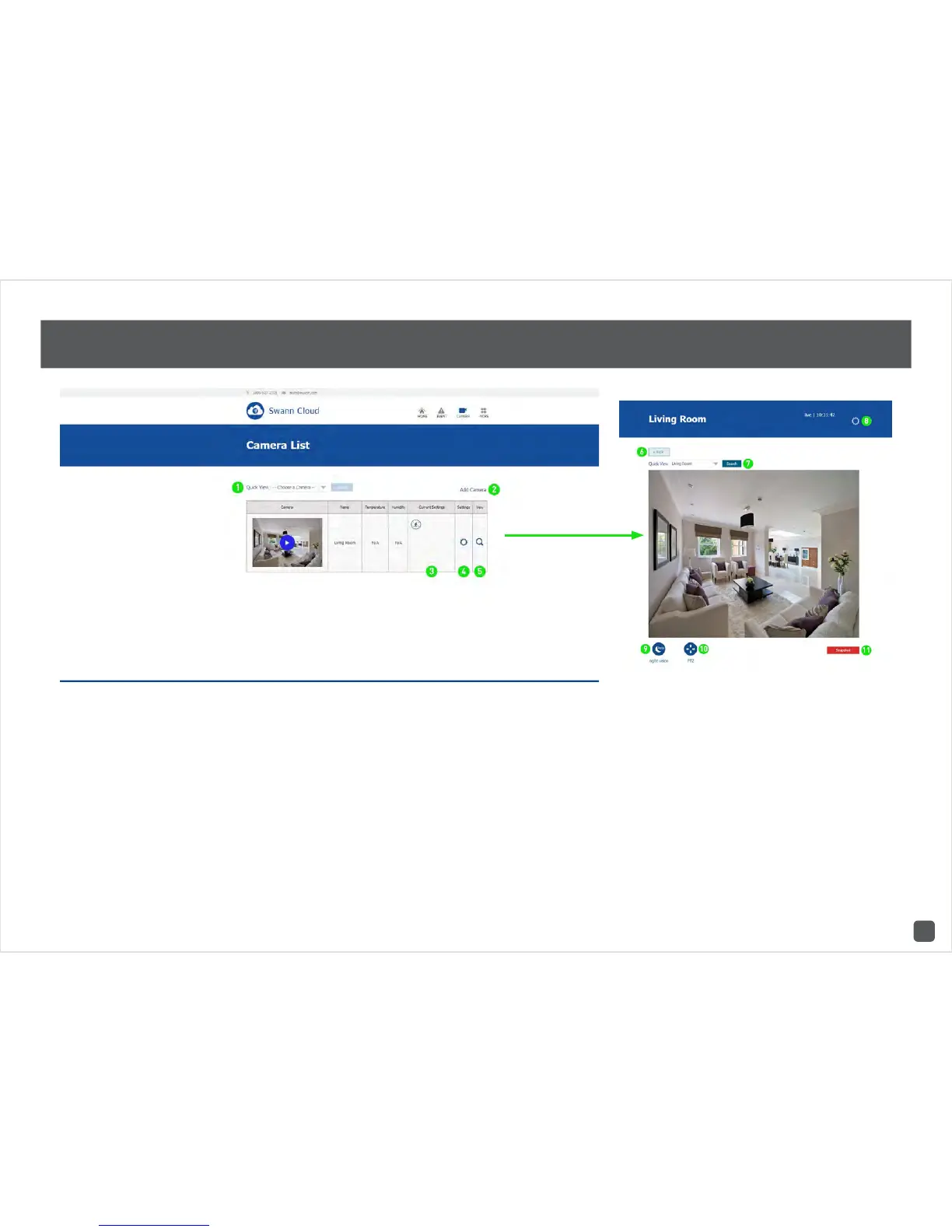
SwannCloud Web App: Viewing your Camera
1. If you have multiple cameras, you can select
a camera from the list to view.
2. Click this to add another camera to your ac-
count.
3. This displays the event settings that are cur-
rently enabled.
4. Click this to enter camera settings.
5. Click this to view your camera.
6. Click this to go back to the camera list.
7. Select a different camera in the drop-down
list and click this to display a live view stream.
8. Click this to enter camera settings.
9. Click this to turn night vision on or off or to
leave it on auto.
10. Click this to control a pan & tilt camera. This
function is for the ADS-446 only.
11. Click this to take a snapshot of the live video
stream.



 To Next Page