5
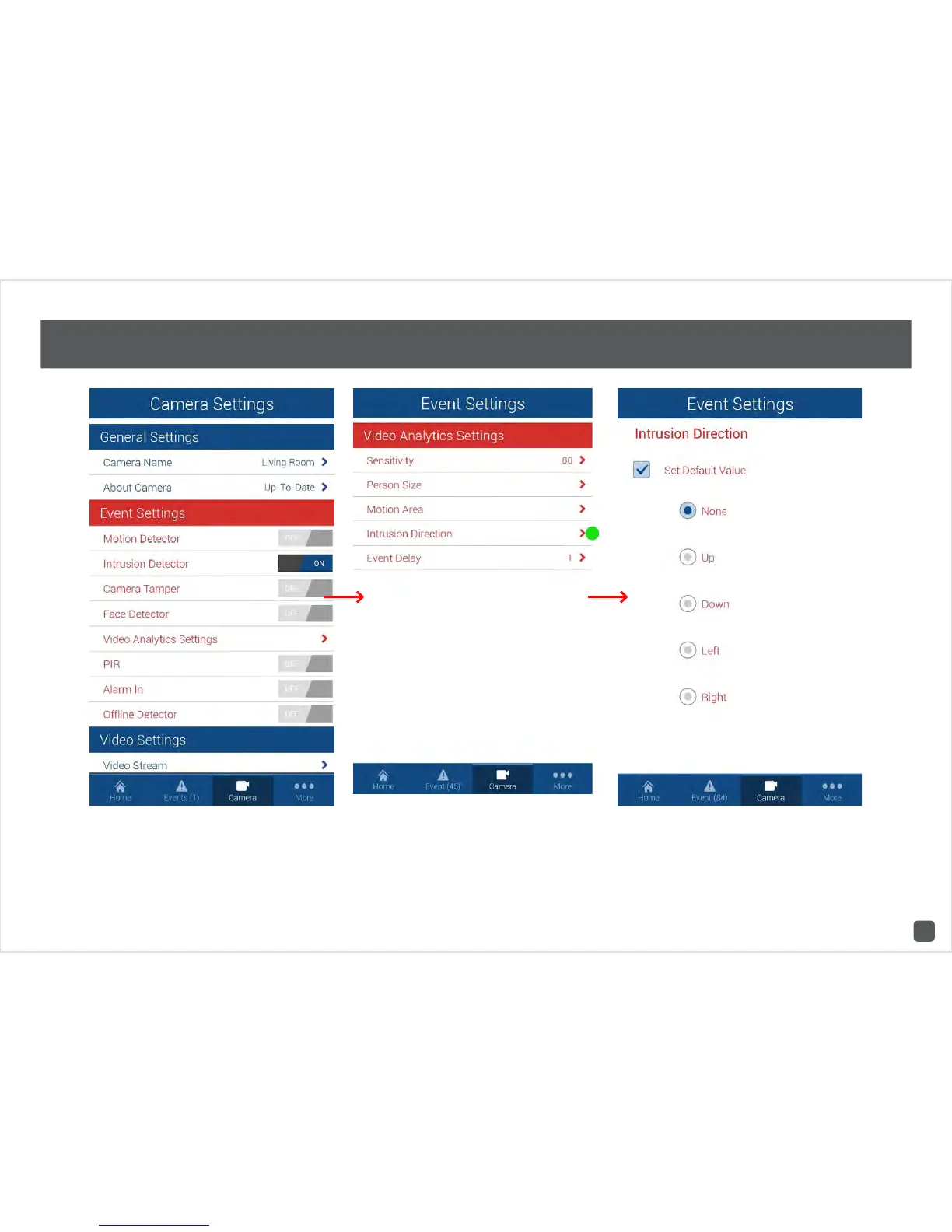
SwannCloud Mobile App: Camera Settings: Intrusion Direction
Have a look at the quick start guide on how you access
camera settings. Tap on “Video Analytics Settings”
then tap “Intrusion Direction”. This is where you can
select which intrusion direction you would like the
camera to alert you to.
For example, if someone is entering the cameras
view from the left and moving to the right, you would
select the “Right” direction value for an intrusion to be
detected. Tap the return button on your mobile device
or tap “Home” to exit.



 To Next Page