12
This pin icon will appear on events that have
been marked. Events that are marked cannot be
deleted. The basic SwannCloud account allows
you to mark up to 3 events for safe keeping.
SwannCloud Web App: Event Settings
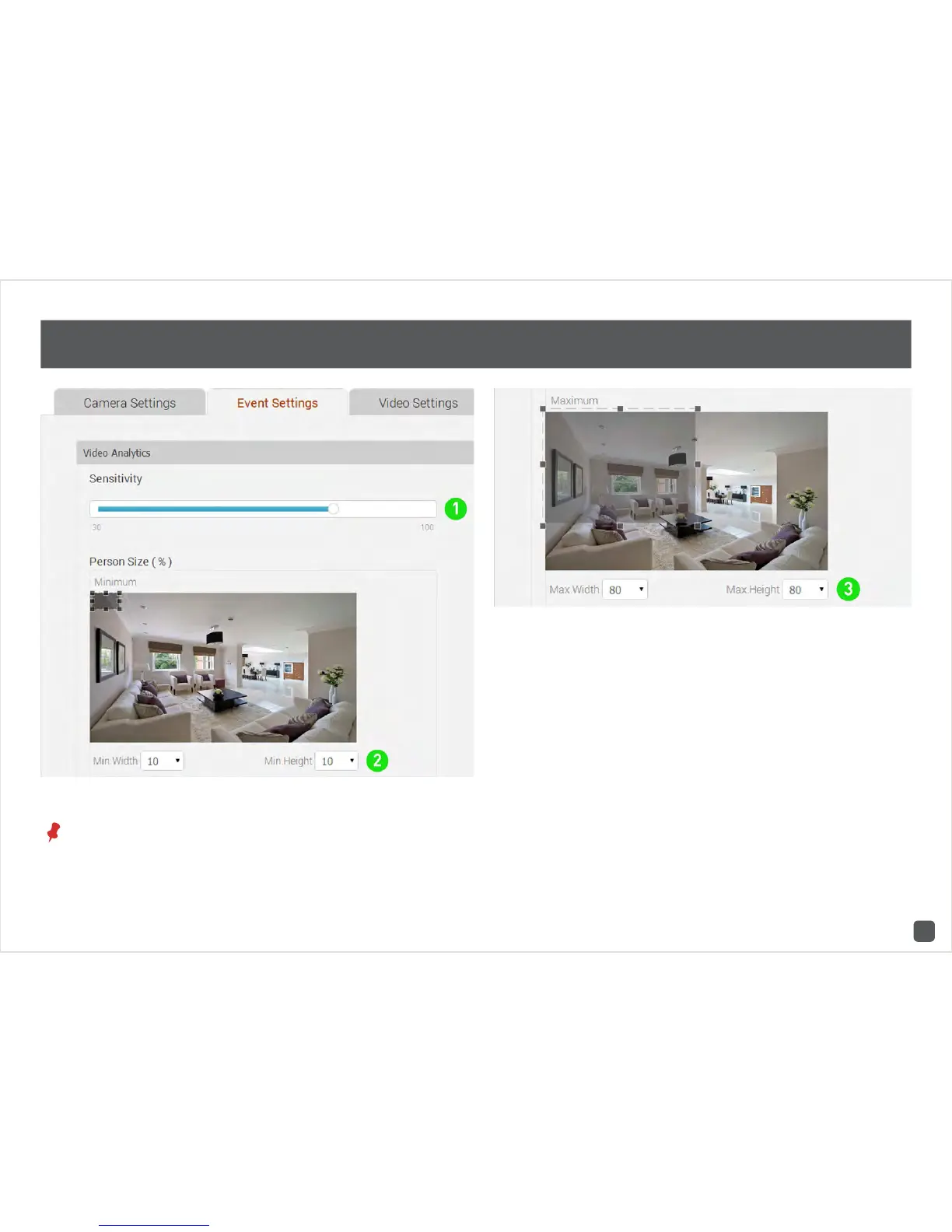
1. This will adjust how sensitive the camera will
be when detecting events. The default value of
80% will work in most environments, but you
can adjust it according to your needs.
2 & 3. This will adjust the object size for all event
types. The default values will work in most
environments, but you can adjust it according to
your needs. Basically the app validates objects
that are between the minimum and maximum
sizes that you select. The position of the box
does not matter.



 To Next Page