9
Using SwannCloud Web App
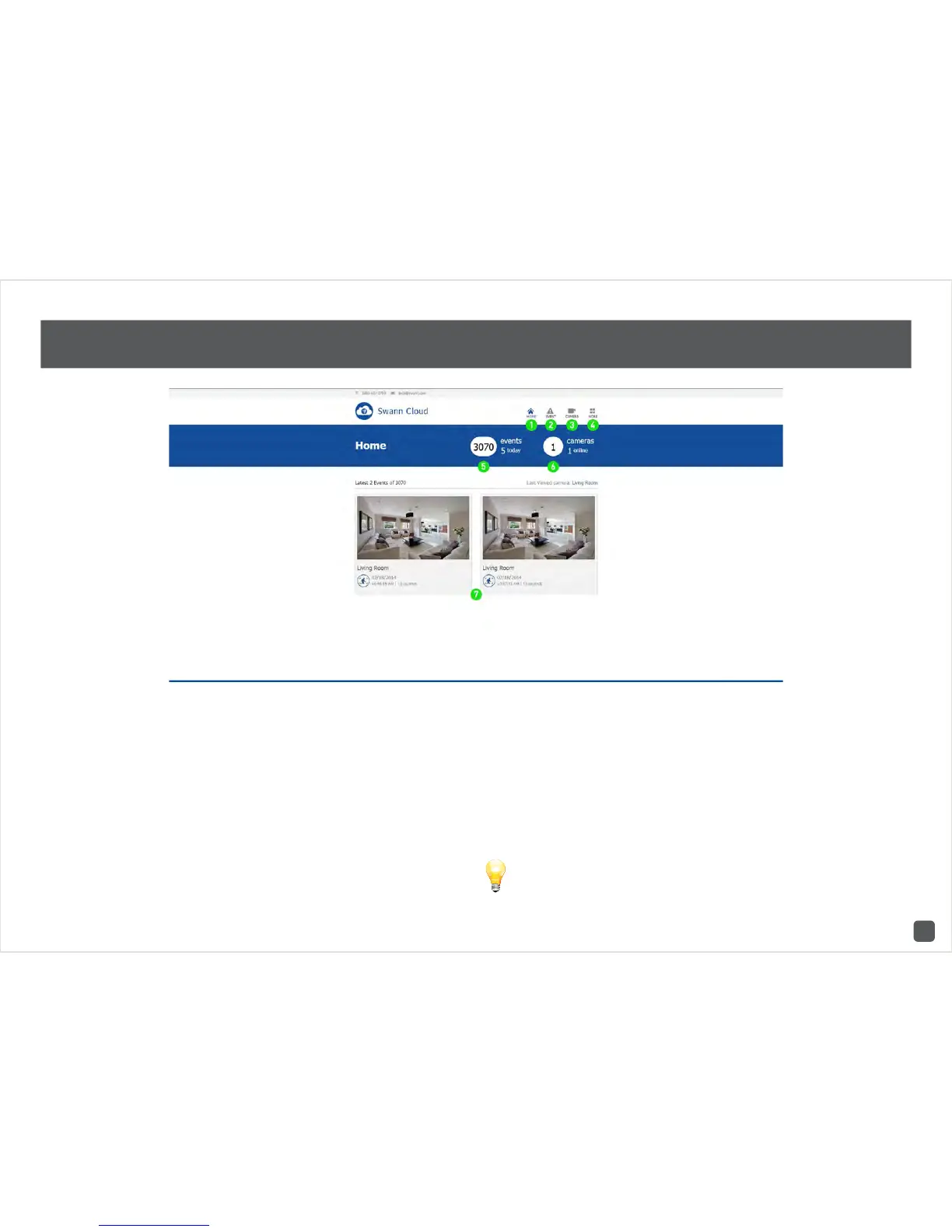
1. Click this to go to the home screen.
2. Click this to access the event screen.
3. Click this to access the camera list. You can
also add additional cameras here.
4. Click to logout or to access account details.
5. This displays how many events have occurred
in total and for the day. Events occur whenever
motion or an intrusion has occurred.
6. This displays the amount of cameras that have
been registered to your account. It also displays
if a camera is offline.
7. SwannCloud will always display the last two
events that have occurred on the home screen.
Use the volume control on your computer to
increase or decrease the volume level.



 To Next Page