14
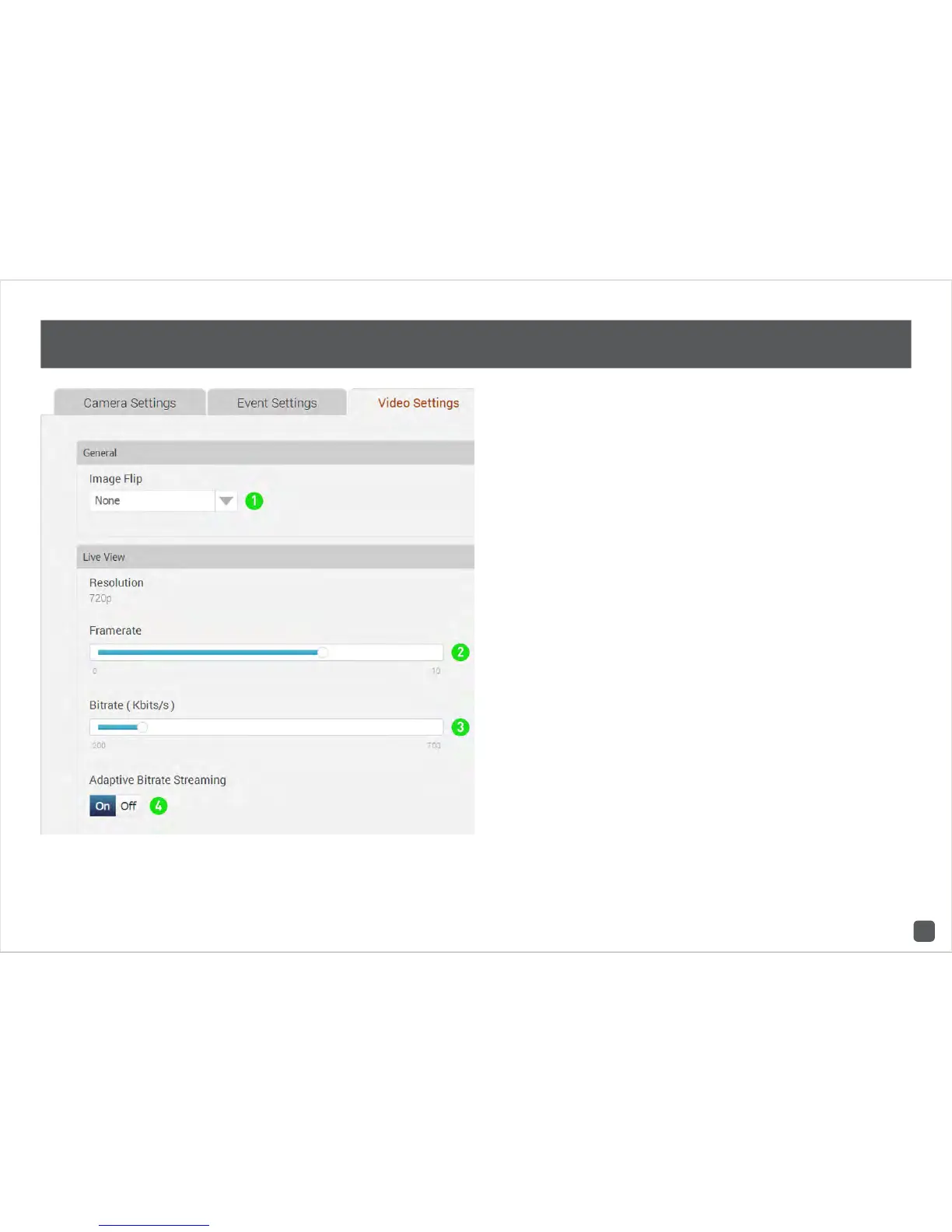
SwannCloud Web App: Video Settings
1. General: Image Flip - If you are mounting
the camera on a wall or ceiling, you can use
this option to flip the screen horizontally or
vertically.
2. Live View: Framerate - Use the slider to
change the framerate when viewing a live view
stream. Adjusting the frame rate may help if
you’re having problems when viewing a live
stream. Please note; this only affects the mo-
bile app.
3. Live View: Bitrate (Kbits/s) - Use the slider
to change the bitrate when viewing a live view
stream. Adjusting the bitrate may help if you’re
having problems when viewing a live stream.
4. Live View: Adaptive Bitrate Streaming - It is
recommended to have this option enabled. This
allows the app to adapt the live video stream
so it displays smoothly even when there is high
network traffic.



 To Next Page