11
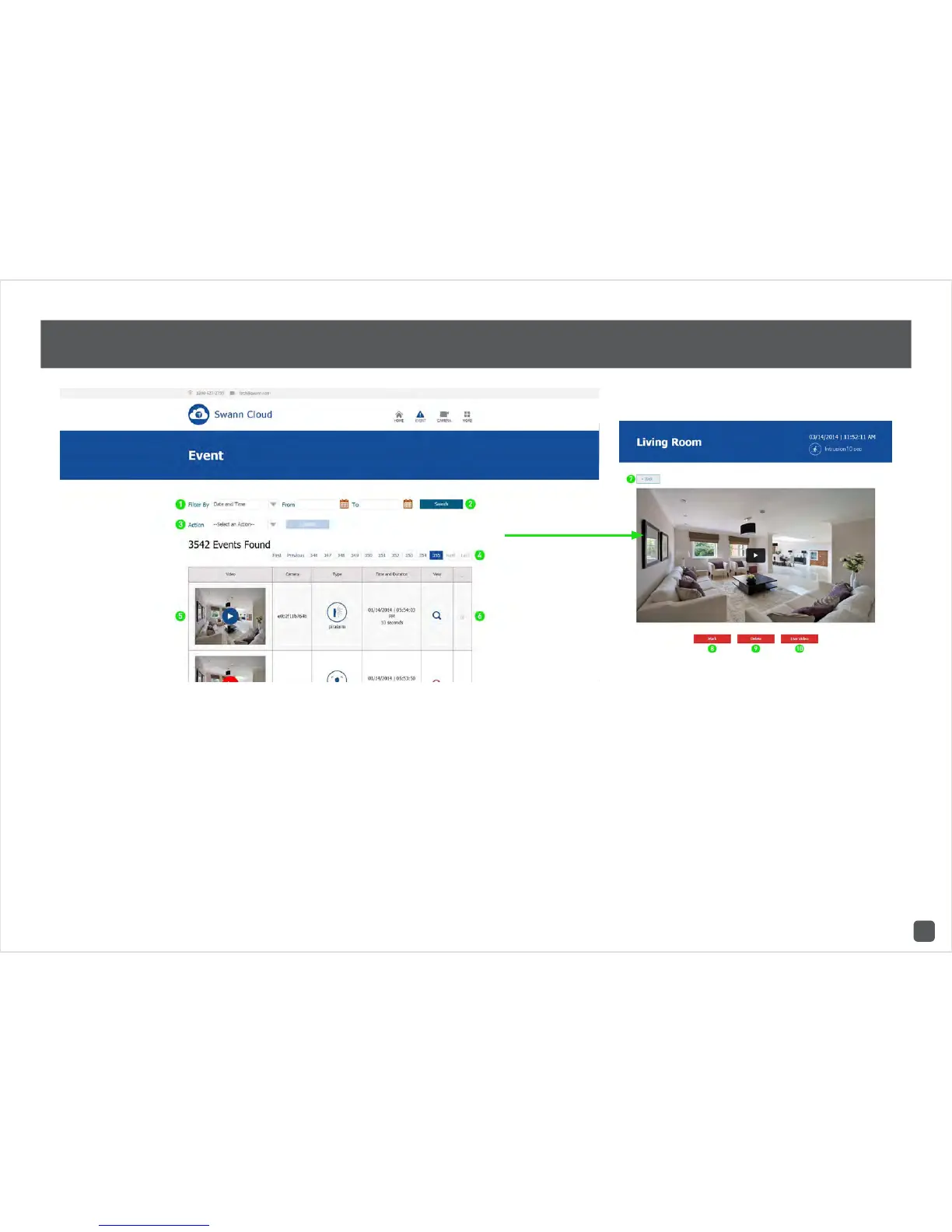
SwannCloud Web App: Viewing Events
1. You can filter events by date and time, or by
camera.
2. Click on the calendar icon to select a from
and to date, then click this to search.
3. When tagging one or more events, you can
select to delete, mark or unmark those events.
Click “Update” to apply.
4. This allows you to select a different page when
searching for events.
5. Click the play button to playback that particu-
lar event.
6. Tick the check box to tag an event.
7. Click this to go back to the event list.
8. Click to mark this particular event. Marking
an event will prevent it from being deleted.
9. Click to delete this particular event.
10. Click this to display a live video stream.







 To Next Page