6
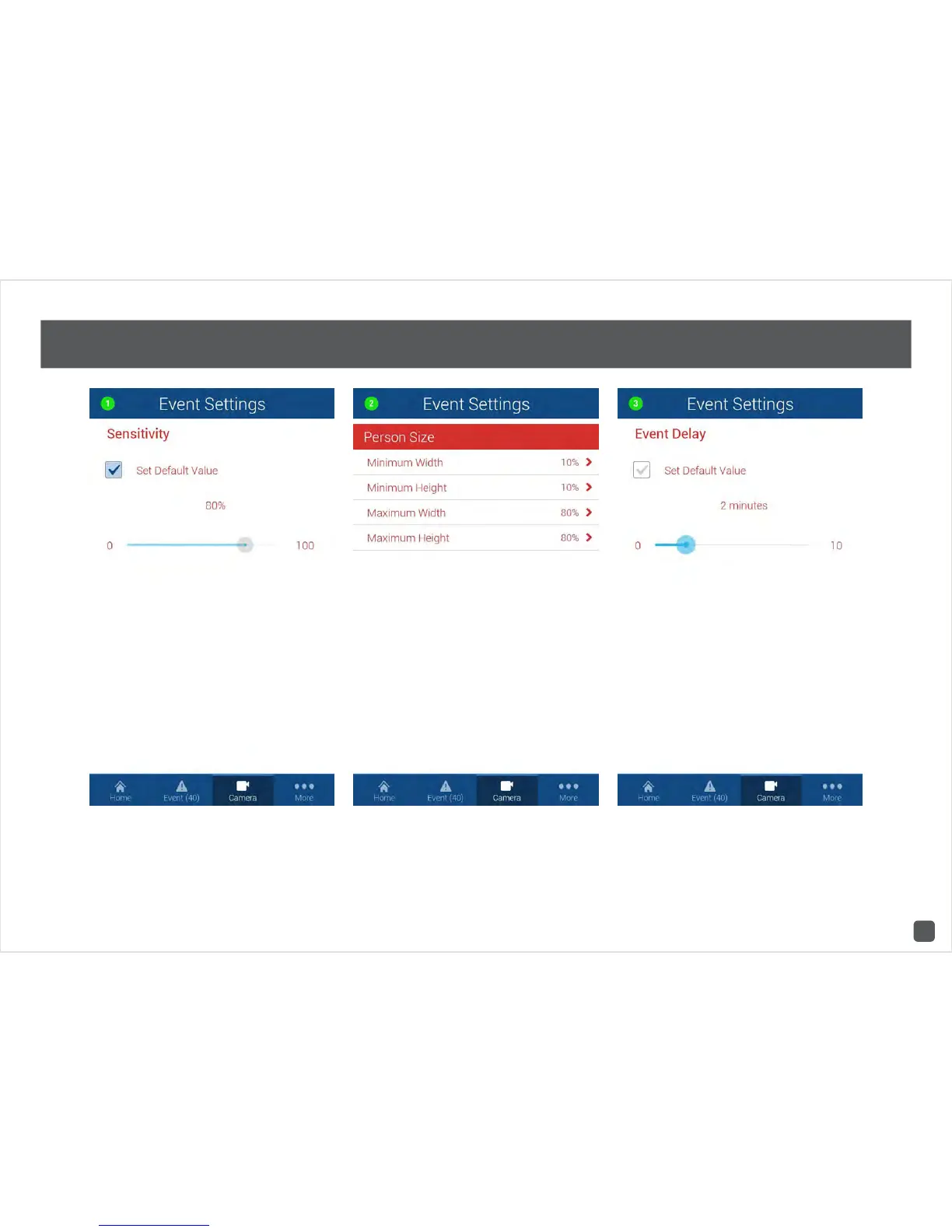
Camera Settings: Sensitivity, Person Size & Event Delay
1. Sensitivity - This will adjust how sensitive the
camera will be when detecting events. The default
value of 80% will work in most environments, but you
can adjust it according to your needs.
2. Person Size - This will adjust the settings for
facial detection. The default values will work in most
environments, but you can adjust it according to your
needs.
3. Event Delay - This will adjust the delay time between
events.



 To Next Page