ENglISH VErSIoN
16
Method 1: WPA
SecuringyournetworkwithWPAisdonein2steps:
1. Selectthefollowingsettings:
SecurityMode:“MixedWPA/WPA2Personal”
WPAAlgorithms:TKIP&AES
PassPhrase:Hereyouhavetosetthesecuritykey(password)foryourwirelessnetwork.Thisshouldbeadifficulttoguesswordorphrase.The
minimumlengthforthepassphraseis8characters.Wealsorecommendyoutowritethepassphrasedownandstoreitneartherouter.Ifthe
passphraseislostyoupleaserefertothetroubleshootingsectionofthismanual.
2. Whenfinished,clickthe“Apply”button.Ifyouwereconnectedwirelessly,youwillnowobservethatyourconnectionislost.Followthesteps
describedinthe“Connectingtoawirelessnetwork”sectionofthemanualtoregainthe(nowsecure)connection.
Method 2: WPS
Forthismethodnoadditionalsettingsarerequired,simplypushtheWPSbuttonatthebackoftherouter.Afterafewseconds,theWPSlightatthe
frontoftherouterwillstarttoblink.Aslongasthelightblinks,youareabletoconnectyourWPSenableddevicetotherouter.Afterasuccessful
connection,theWPSlightwillstopblinking.ToconnectanotherWPSenableddevice,simplypushthebuttonagainbeforeconnecting.
AfteraWPSsecuredconnectionhasbeensetupforthefirsttime,allpreviouslyconnecteddeviceswilllosetheirconnection.Youwillhaveto
connectthemusingthesameWPSmethodorbymanuallyenteringtheWPAkeyasdescribedbelow.
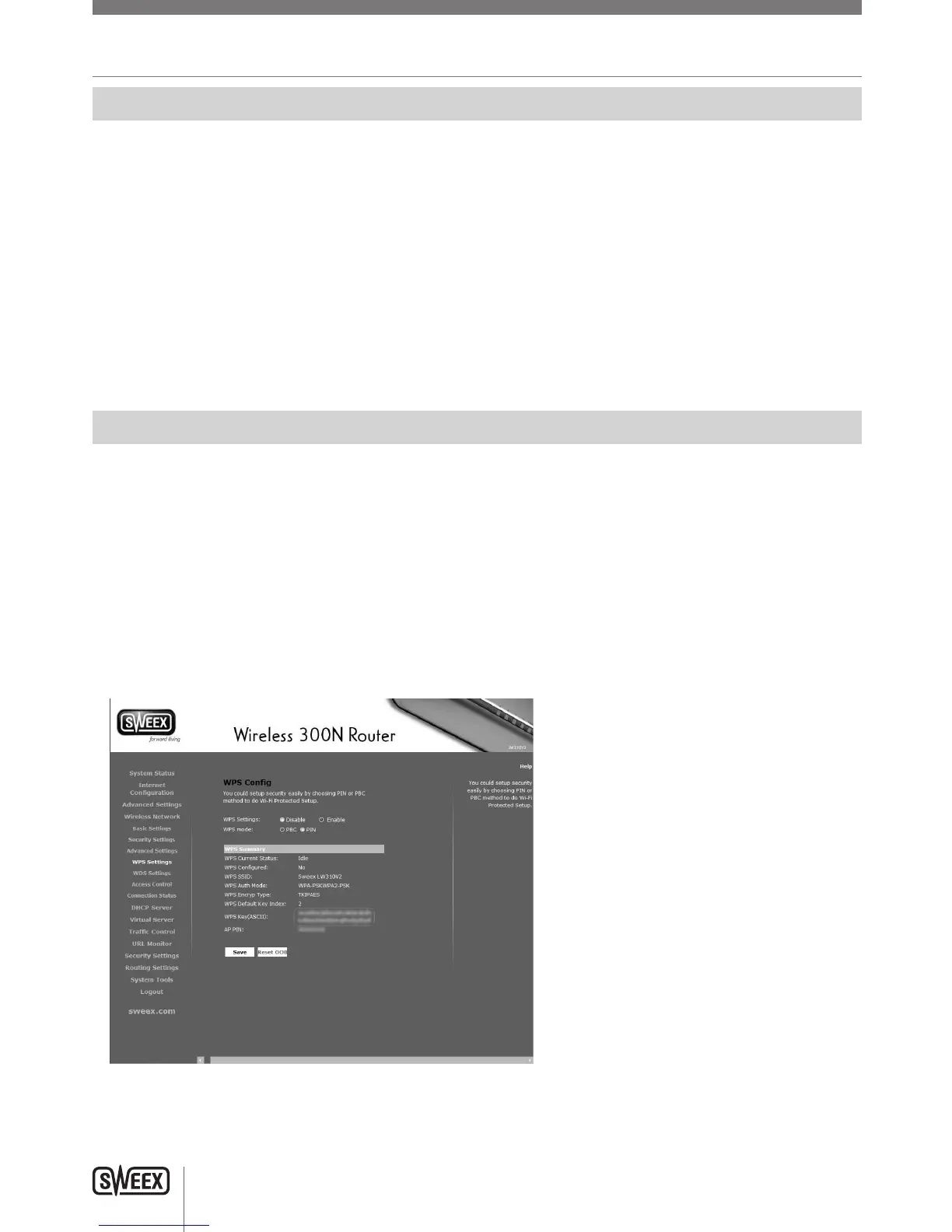
Toconnectanon-WPSdevicetoaWPSsecuredrouter,click“WirelessNetwork”-“WPSSettings”inthemenuontheleftside,the“WPSKey
(ASCII)”istheWPAkeyyoucanuseforconnectingnon-WPSenableddevices.
LW310V2_Manual_01.indd 16 03-11-09 13:32



 To Next Page