ENglISH VErSIoN
20
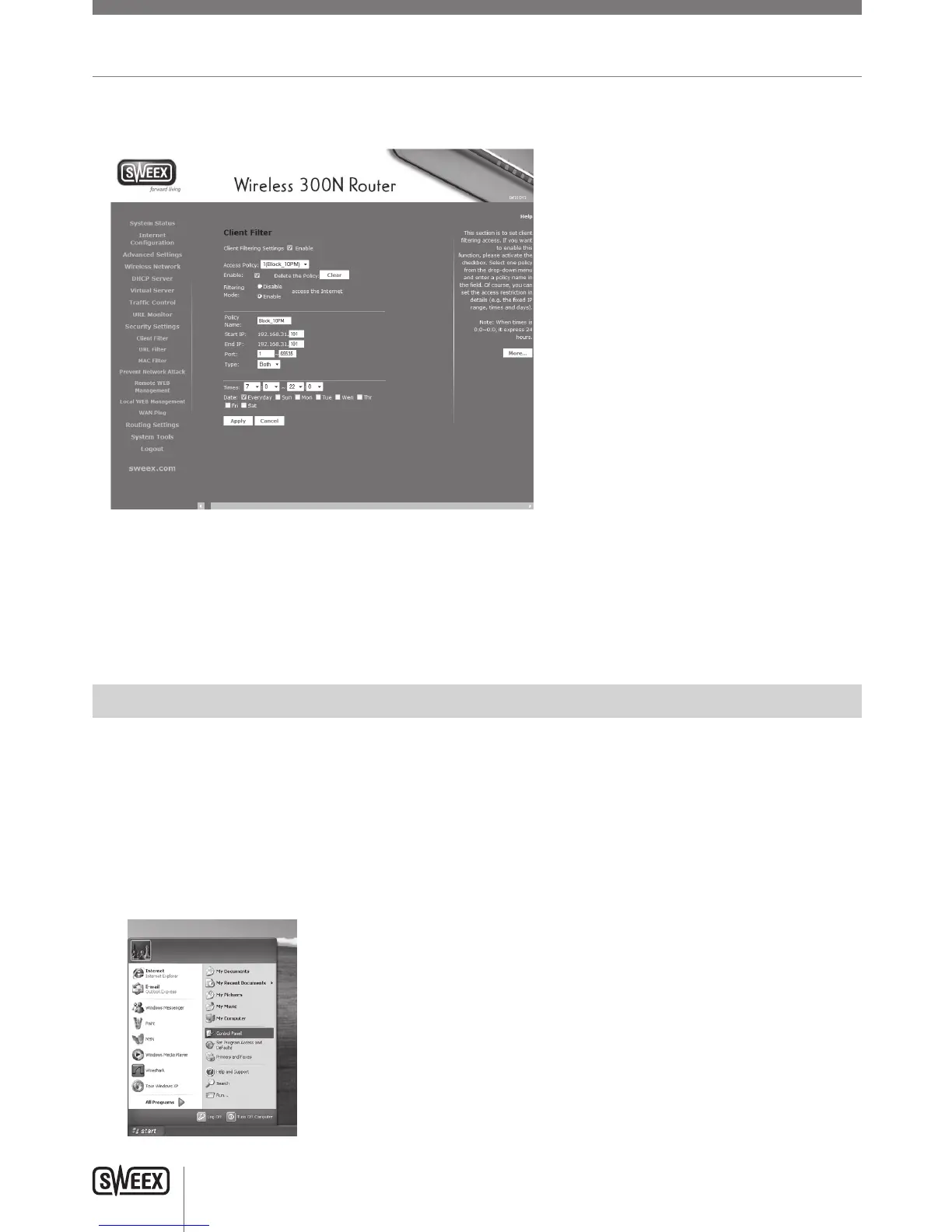
TosetuptheClientFilter,logintotherouterasdescribedinthe“Advancedsetup”chapterand,“SecuritySettings”inthemenuontheleftand
checkthe“Enable”checkbox.Youwillseethefollowingscreen:
Intheaboveexample,allaccesstotheinternetisblockedfrom22:00onwards,until07:00inthemorning.Thereisamaximumof10access
policies.
Note:WhenapplyingaClientfilteringpolicytoacertaindevice,itisadvisabletogiveitastaticDHCPIPaddressfirst.Otherwisethedevicemay
changeIPaddressandthepolicywillnolongerapply,orapplytoadifferentcomputerinstead.
Troubleshooting
Thischapterofthemanualwillexplainanumberofcommonissuesthatyoumayrunintoandpossiblesolutions.
• TheCDWizardcannotconnecttotherouterandIcannotaccesstherouterathttp://192.168.31.1/. Windows
indicates that I have a working network connection.
• ThisissuemayarisefromincorrectIPsettingsonyourcomputer.Youcancheckandadjustyoursettingsasfollows:
Windows XP
1. Clickthestartbuttonatthebottomrightofyourscreenandclick“ControlPanel”
LW310V2_Manual_01.indd 20 03-11-09 13:32



 To Next Page