ENglISH VErSIoN
15
Afterchanginganyofthesettings,clickthe“Apply”buttontoapplythechanges.
Securing your wireless network
Wirelesssecurityprotectsyourwirelessnetworksothatonlyauthoriseddevicescangainaccess.Sweexrecommendsalluserstosecuretheirwireless
network.Securingyournetworkshouldonlybedoneafterinternetaccessthroughtherouterhassuccessfullybeensetup.
Therearethreemethodsforsecuringyourwirelessnetwork:
• WPA/WPA2isamanualmethodofsecuringyournetwork.Youconfigureasecuritykeyandonlydeviceswiththiskeycanaccessthenetwork.
Youhavetomanuallyenterthekeyineachdevicethatyouwanttograntaccess.WPAissupportedbyWindowsXPServicePack2andnewer
andbymostotherdevices.Itiscurrentlytherecommendedmethodforsecuringyourwirelessnetwork.WPA2isanupgradetoWPAandrequires
atleastWindowsXPServicePack3.
• WPSisbuiltontopofWPAandenablesautomaticconfigurationandexchangeofWPAkeysthroughaPINcodeorthesimplepushofabutton.
WPSissupportedbyWindowsVistaServicePack2andWindows7.UnderWindowsXP,WPSsupportisdependentonsoftwareorutilities
providedbythemanufacturerofyourwirelessnetworkadapter.
• Someolderdevices,from2005orbeforeandinsomecasesWindows98,ME,2000andolderWindowsXPversions(beforeServicePack2)
maynotsupportWPA,inthiscaseyouwillhavetofallbacktotheolderWEPmethodforwirelesssecurity.WEPisnotrecommendedfornormal
operationsinceitisnolongerconsideredfullysecurebytoday’sstandards.
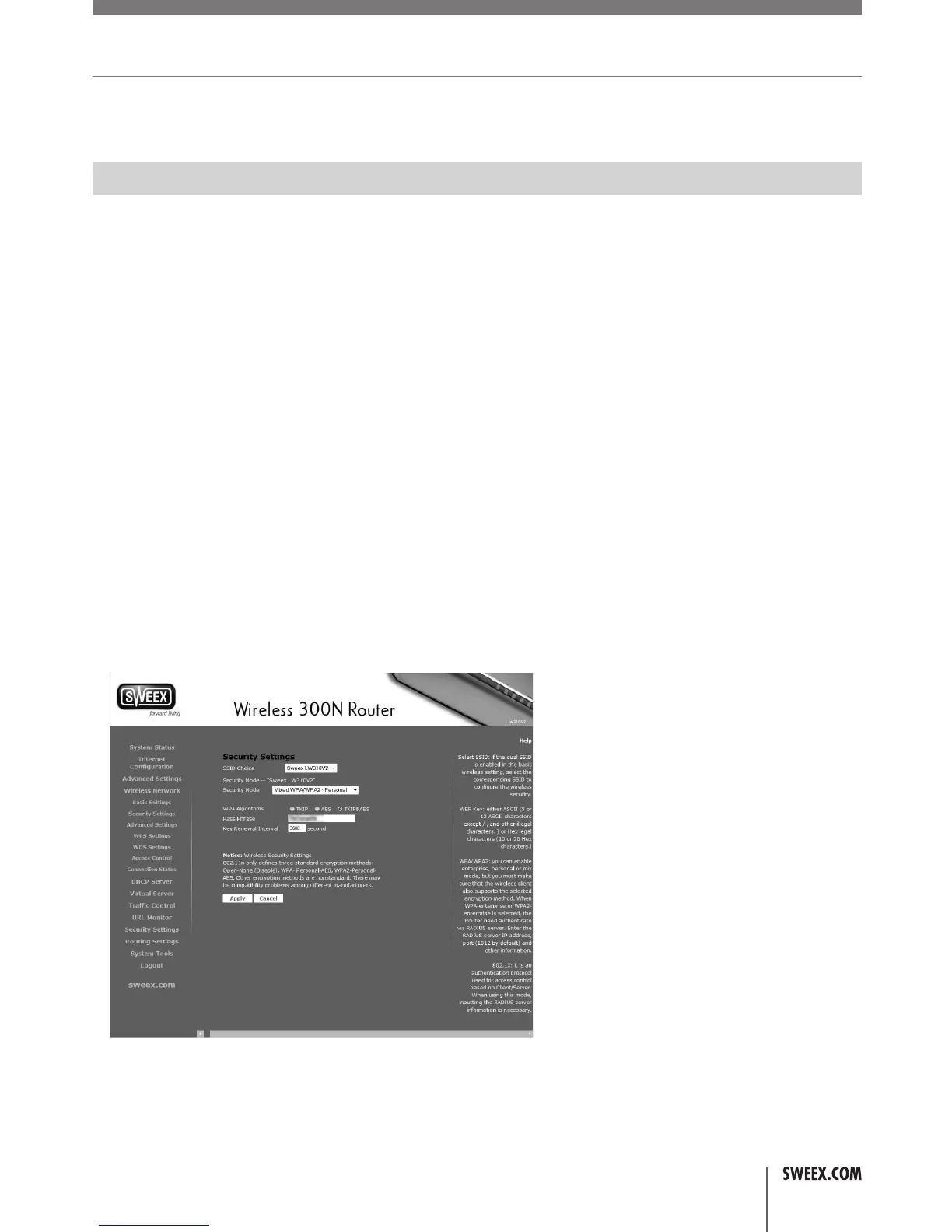
TheSecuritySettingspagecanbeaccessedbyclicking“WirelessNetwork”–“SecuritySetings”inthemenuontheleftside.
LW310V2_Manual_01.indd 15 03-11-09 13:32



 To Next Page