ENglISH VErSIoN
19
Traffic Control
Trafficcontrolisalsoknownas“bandwidthmanagement”.Itallowsyoutoartificiallyrestrictbandwidthforoneormoredevicesonyournetwork.
Thiscanbeusefulwhen,forexample,youneedtoreservebandwidthforaVOIPphoneoryouwanttorestrictthebandwidthavailabletopeer-to-
peerapplications.
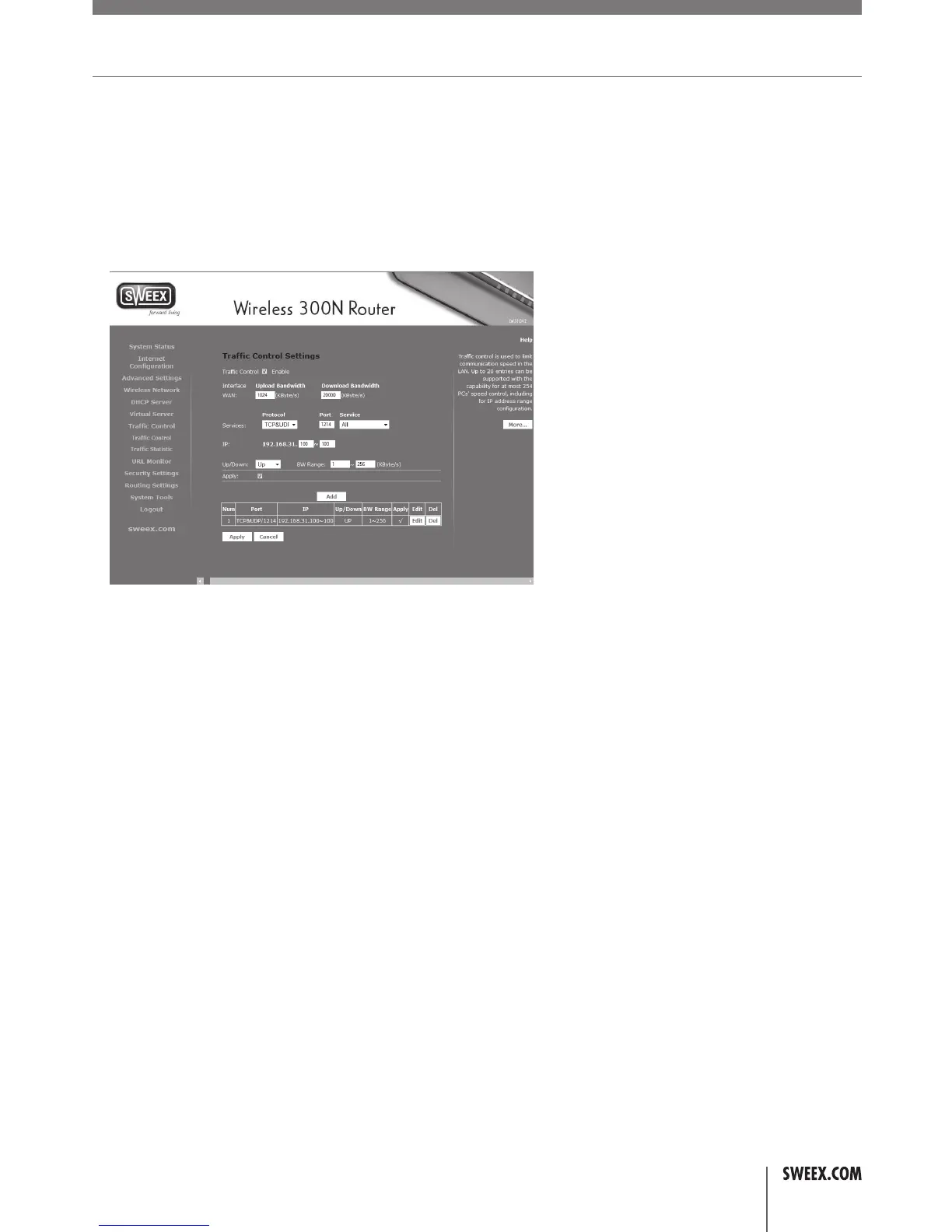
TosetupTrafficControl,logintotherouterasdescribedinthe“Advancedsetup”chapter,click“TrafficControl”inthemenuontheleftandcheckthe
“Enable”checkbox.Youwillseethefollowingscreen:
FirstentertheWANuploadbandwidthanddownloadbandwidthinkbps.Asarule,takethespeedsadvertisedbyyourISPandlowerthemby10%
oruseaspeedtestingwebsitetomeasureyourbandwidth,andlowertheoutcomeby5%.Nextyoucanstartcreatingrules.Enterthedesired
port(s)andprotocol(s)thattheruleshouldapplytoorselectapredefinedservuce,andsettheIPaddressofyourdeviceoranIPrangeformultiple
devicesandsetthedesiredguaranteedandmaximumbandwidth.Nextclickthe“Apply”checkboxandclickthe“Add”buttontoaddtherule.When
doneaddingrules,clickthe“Apply”button.
Note:Whenapplyingtrafficcontrolrulestoacertaindevice,itisadvisabletogiveitastaticDHCPIPaddressfirst.Otherwisethedevicemaychange
IPaddressandtherulewillnolongerapply,orapplytoadifferentcomputerinstead.
Client filtering
Clientfilteringallowsyoutoselectivelydisableinternetaccessfordevices,basedonatimeschedule.
LW310V2_Manual_01.indd 19 03-11-09 13:32



 To Next Page