ENglISH VErSIoN
27
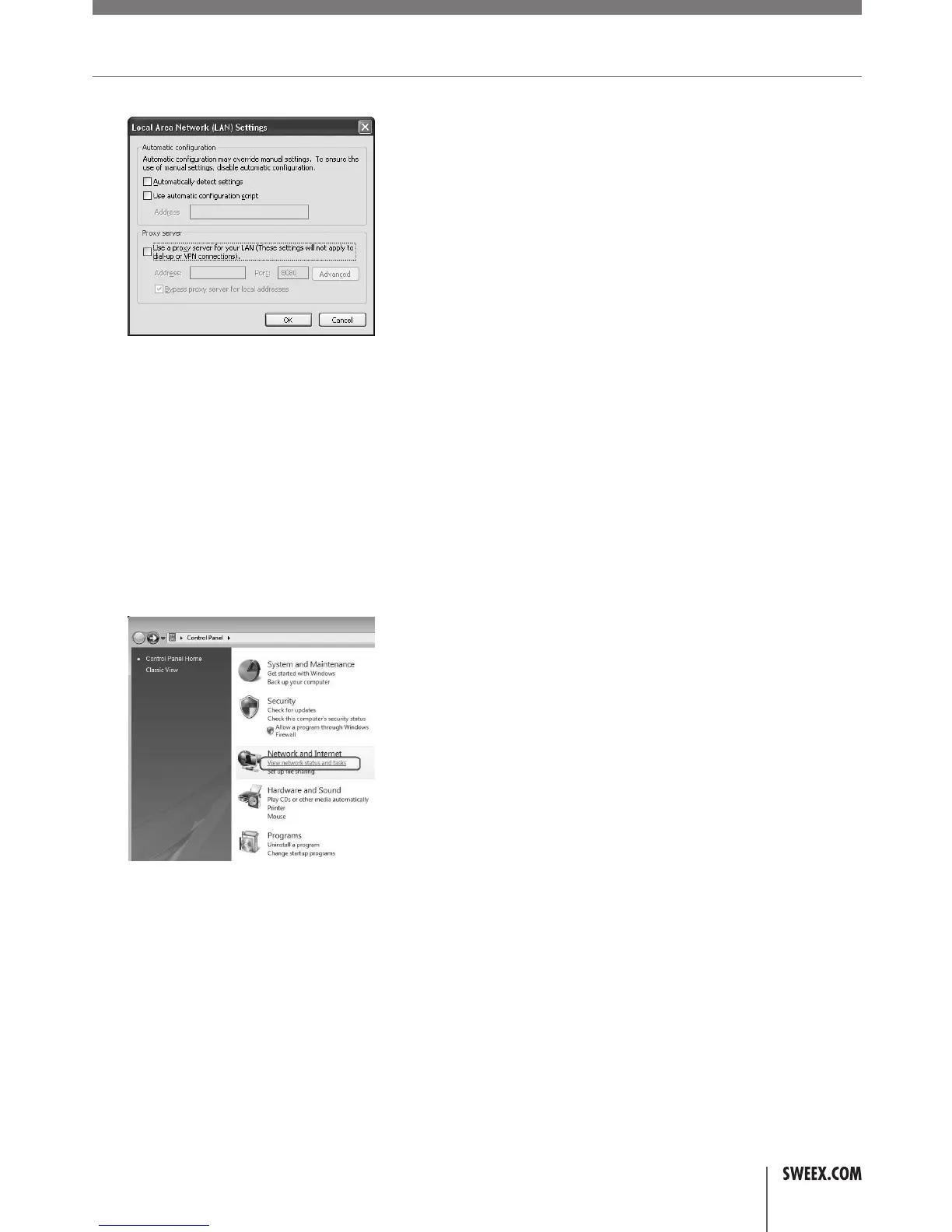
4. The“LANSettings”windowwillnowopen.Ensurethatallcheckboxesareuncheckedandconfirmthesettingsbyclicking“OK”
• Mycomputerindicatesthatitisnotconnectedtoanetwork.
• Thisproblemisusuallyresolvedbycarefullycheckingallconnectionsandindicatorlights.Forawiredcomputer,followthenetworkcabletothe
router’sbackside.ItmustbepluggedintooneoftheyellowLANports.TheyellowportsarealsonumberedandcorrespondingtoeachLANport
thereisanindicatorlightatthefrontoftherouter.Thislightmustbelittoindicateaworkingconnection.Ifthelightisoff,fiddlethecableortry
adifferentcable.Forawirelesscomputer,checkthewirelessconnectionstatusiconatthebottomrightofyourscreen,thereshouldnotbeared
cross.Ifyouseearedcross,followthestepsdescribedinthe“Connectingtoawirelessnetwork”sectionofthemanual.
• IhaveWindowsVistaandIgettheerrormessage“thesettingssavedonthiscomputerforthenetworkdonot
match the requirements of the network” when I try to connect wirelessly.
• Thisproblemcanbesolvedasfollows:
1. IntheControlPanel,click“Viewnetworkstatusandtasks”.IfyourControlPanelisinclassicview,openthe“NetworkandSharingCenter”icon:
2. TheNetworkandSharingCenterwindowshouldnowopen.
LW310V2_Manual_01.indd 27 03-11-09 13:32



 To Next Page