ENglISH VErSIoN
10
Youcannowproceedwiththeadvancedsetupusingoneoftheconfigurationsdescribedfurtheron.
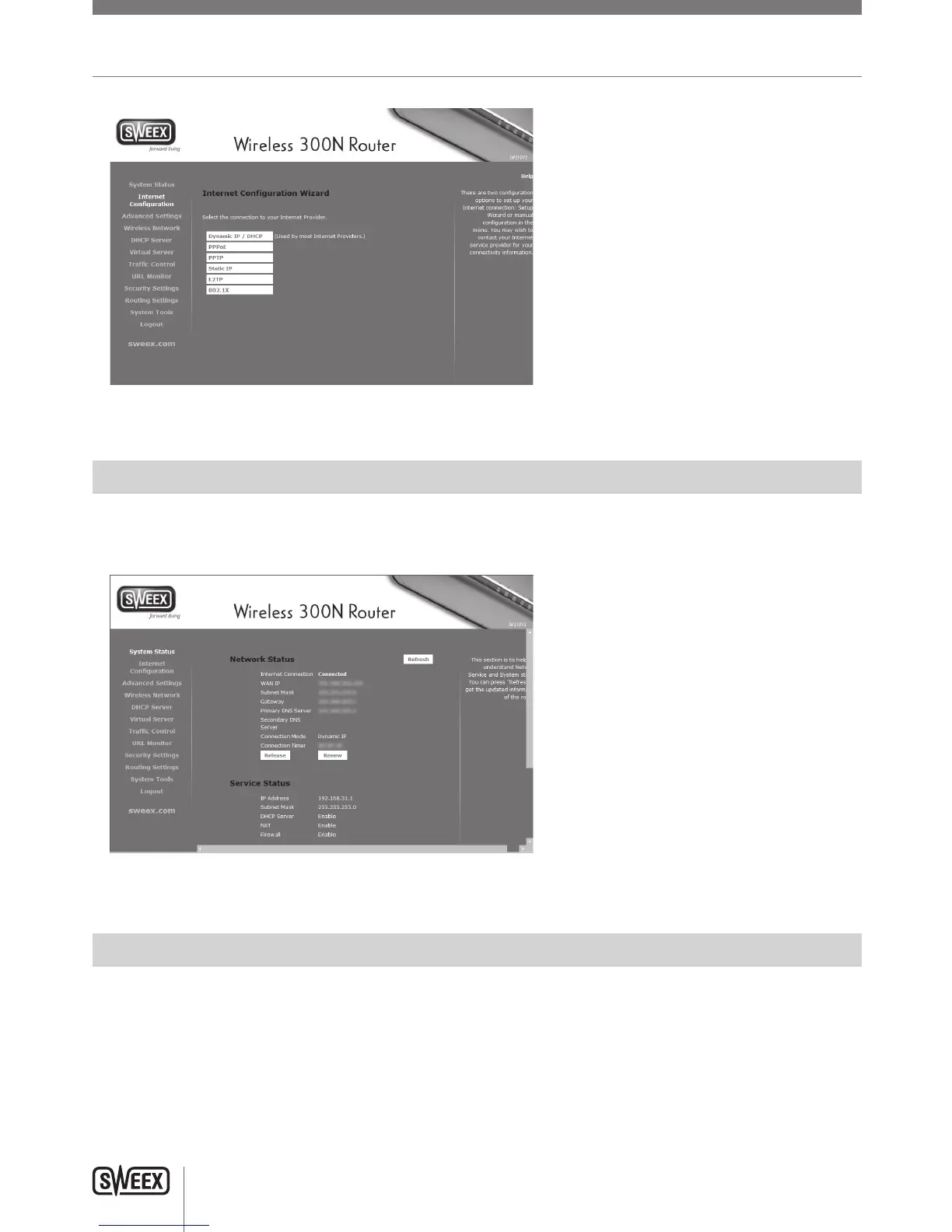
Checking if the router is successfully connected to the internet
Forconfigurations1–4,itispossibletocheckintherouterifyouhaveaworkinginternetconnection.Afterapplyingtheconfiguration,therouter
willprocessthechangesandtakeyoutothe“SystemStatus”page.Ifthisdoesnothappen,youcanclick“SystemStatus”inthemenuontheleft.
Thestatuspagelooksasfollows:
Whentherouterhassuccessfullyconnectedtotheinternet,itwilldisplay“InternetConnection:Connected”
Configuration 1: DHCP with MAC address clone
CertainISP’srequireaspecificMACaddresstobeconnectedtotheirmodem.IfthisisthecaseforyourISP,itispossibletoclonetheMACaddress
fromyourcomputertotherouter’sWANport,sothatyourISPwillaccepttherouterontheirnetwork.
Note:CloningyourMACaddressmustbedonefromthecomputerthatwasoriginallyconnectedtoyourmodem,andthiscomputermustbe
connectedtoyourrouterbynetworkcable.MACaddresscloningnormallydoesnotworkoverwirelessconnections.
LW310V2_Manual_01.indd 10 03-11-09 13:32



 To Next Page