23
English version
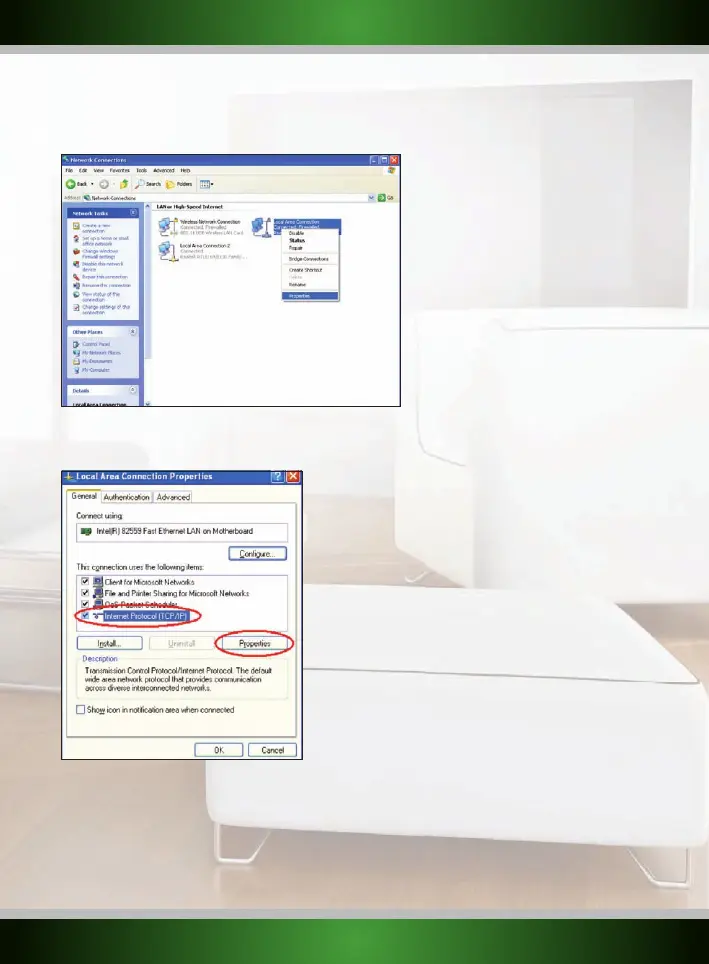
3. Right click the first connected LAN or High-Speed Internet Connection, in this example the “Local Area Connection”, and click “Properties”
from the context menu. If you have multiple connected connections, repeat steps 3 to 6 for each connection.
4. The connection’s property window appears. In this windows, select the “Internet Protocol” from the list of items and
click the “Properties” Button:



 To Next Page