8
Connecting to a wireless network
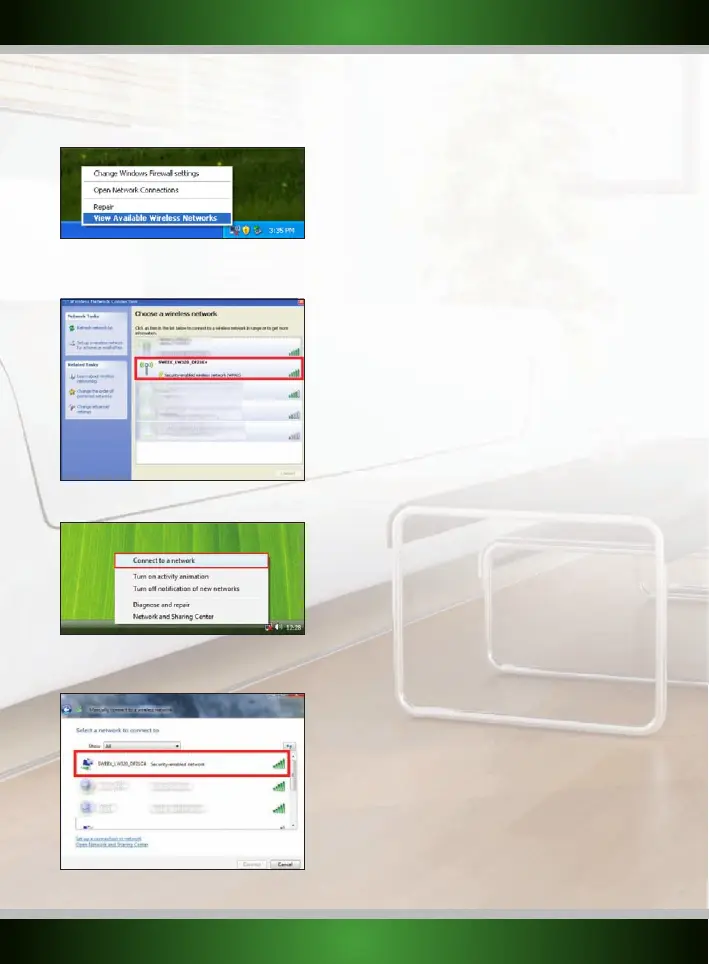
• Windows XP: Right click on your wireless adapter’s icon at the bottom right of your screen and click “View Available Wireless Networks”:
A window titled “Choose a wireless network” will appear. In this window, select the “Sweex LW320/321” entry, click the “Connect” button and
follow the instructions on screen:
• Windows Vista: Right click on the Network & Sharing Center icon in the bottom right of your screen, and click “Connect to a network”:
A window titled “Connect to a network” will appear. In this window, select the “Sweex LW320/321” entry, click the “Connect” button and
follow the instructions on screen:
English version



 To Next Page