16
Wireless network configuration
It is recommended to only adjust wireless settings from a computer connected to the router by network cable, especially when changing wireless
security settings. This will prevent the connection from being lost if you accidentally apply incorrect settings.
To adjust the wireless network configuration, first login to the router as described in the “Advanced Setup” chapter, then click “Wireless” in the
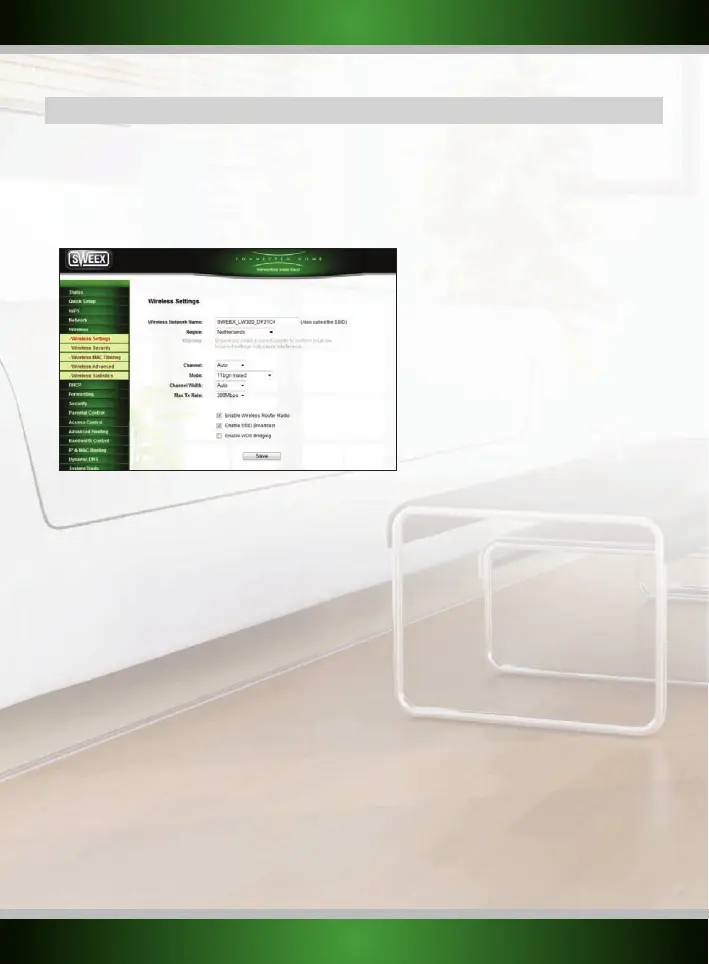
menu on the left side. You will see the following screen:
SSID
The most important setting in this screen is the SSID, this is the name of your wireless network, used for identification purposes. When SSID
broadcast is enabled, you and everyone else in range of your network can see the name in the list of available wireless networks.
It is recommended that you change the SSID, the default SSID “Sweex LW320/321” can cause conflicts if multiple routers of this model are in
range of each other. When changing the SSID, you will need to connect to your wireless network again as described in the chapter “Connecting
to a wireless network”.
Region
Per region the laws for wireless configurations can be different, choose the region where you are located from the “pull down” menu.
Channel
The Channel setting controls the frequency on
which the
router transmits its wireless signal. With the default option, “AutoSelect”, the router
will scan all channels when powered up and automatically select the channel with the best signal conditions. Changing the channel is only
recommended when you experience poor wireless performance of the router.
Mode
The type of wireless standard can be chosen here, it is recommended to use the default setting.
English version



 To Next Page