22
English version
Troubleshooting
This chapter of the manual will explain a number of common issues that you may run into and possible solutions.
• I cannot log into my router at http://192.168.32.1/. Windows indicates that I have a working network connection.
• This issue may arise from incorrect IP settings on your computer. You can check and adjust your settings as follows:
Windows XP
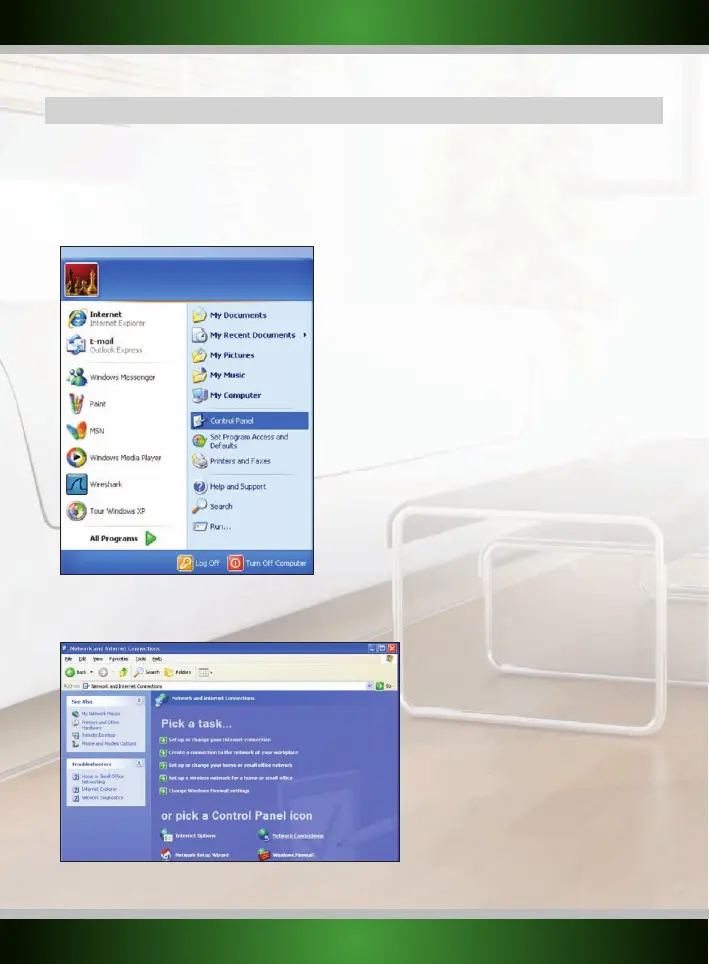
1. Click the start button at the bottom left of your screen and click “Control Panel”
2. In the control panel, click “Network and Internet Connections and open the “Network Connections” icon. If your control panel is in Classic
View, you may open the “Network Connections” icon straightaway.



 To Next Page