30
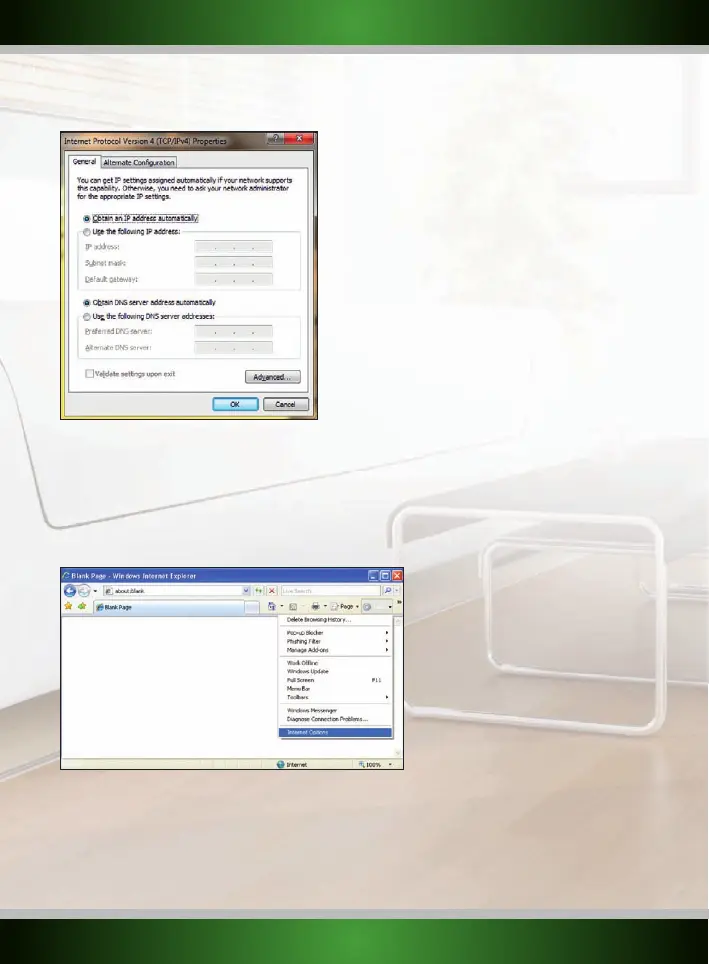
6. The Internet Protocol Version 4’s property window appears. In this window, ensure that both settings are set to “Obtain automatically”:
7. Confirm the settings by clicking “OK”. The network settings for Windows 7 are now properly configured for your router.
• I appear to be connected but Internet Explorer still displays an error message “Internet Explorer cannot display the webpage” or similar.
• This problem may arise from incorrect proxy server settings. You can adjust these settings as follows:
1. In Internet Explorer, click the “Tools” menu or icon and chose “Internet Options”.
2. The “Internet Options” window will now open.
English version



 To Next Page