©2018 SwellPro All Rights Reserved
28
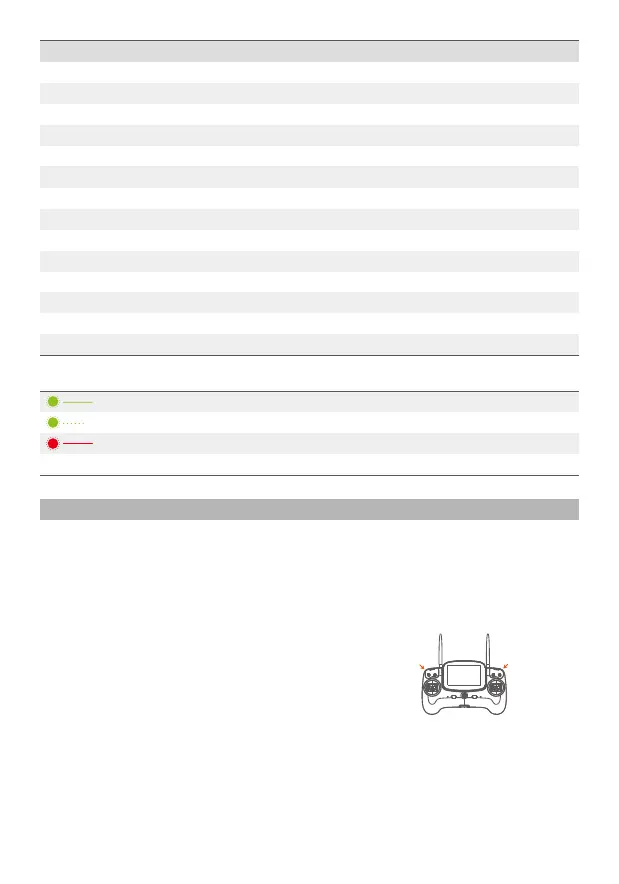
Gimbal horizontal tilt
control thumbwheel
Gimbal pitch control
thumbwheel
Gimbal Calibration
The gimbal is a high precision two axis waterproof system with a horizontal tilt angle jitter of
+ 0.02 degrees, even in the event of a large action flight, it can record a smooth video. The
pitch angle has controllable operating range of -90 degrees to 0 degrees.
Green ON
Green Slow Blink
Red ON
Red OFF
Power on into preview mode
Saving picture or video
WIFI ON
Wifi Off
System Settings
Language
Picture Flip
Time Setting
WIFI Password
ISO
EV
White Balance
OSD
Recording
Video Format
Metering
Frequency
Format
Default Setting
English, Chinese
180°Flip, OFF
AUTO 100 200 400 800 1600
-2 -1.5 -1.0 -0.5 0 +0.5 +1.0 +1.5 +2.0
AUTO, cloudy, sunny, Incandescent lamp, Fluorescent lamp
ON, OFF
ON, OFF
PAL, NTSC
Global metering, Center-weighted, spot
50Hz, 60Hz
Sure, Cancel
Sure, Cancel
Accelerometer calibration is necessary if:
● The camera lens isn't in horizontal orientation,
when left at it’s default state.
● This will display a tilted image.
Calibration Procedure:
1. Place the drone on a horizontal surface, switch on the controller, and then power up the
drone. After hearing a “DI” tone, the Gimbal is activated and ready for calibration.
2. Simultaneously roll the 2 thumbwheels for the Gimbal horizontal and tilt control to the
left-most position, and maintain this position for 6s. After the Gimbal appears powerless,
release both of the thumbwheels.
Gimbal Accelerometer Calibration
Camera Indicator














 To Next Page