EasyManua.ls Logo

SWIT S-1071H+ - Page 15

SWIT S-1071H+
19 pages
Print Icon
To Next Page IconTo Next Page
To Previous Page IconTo Previous Page
Loading...
15
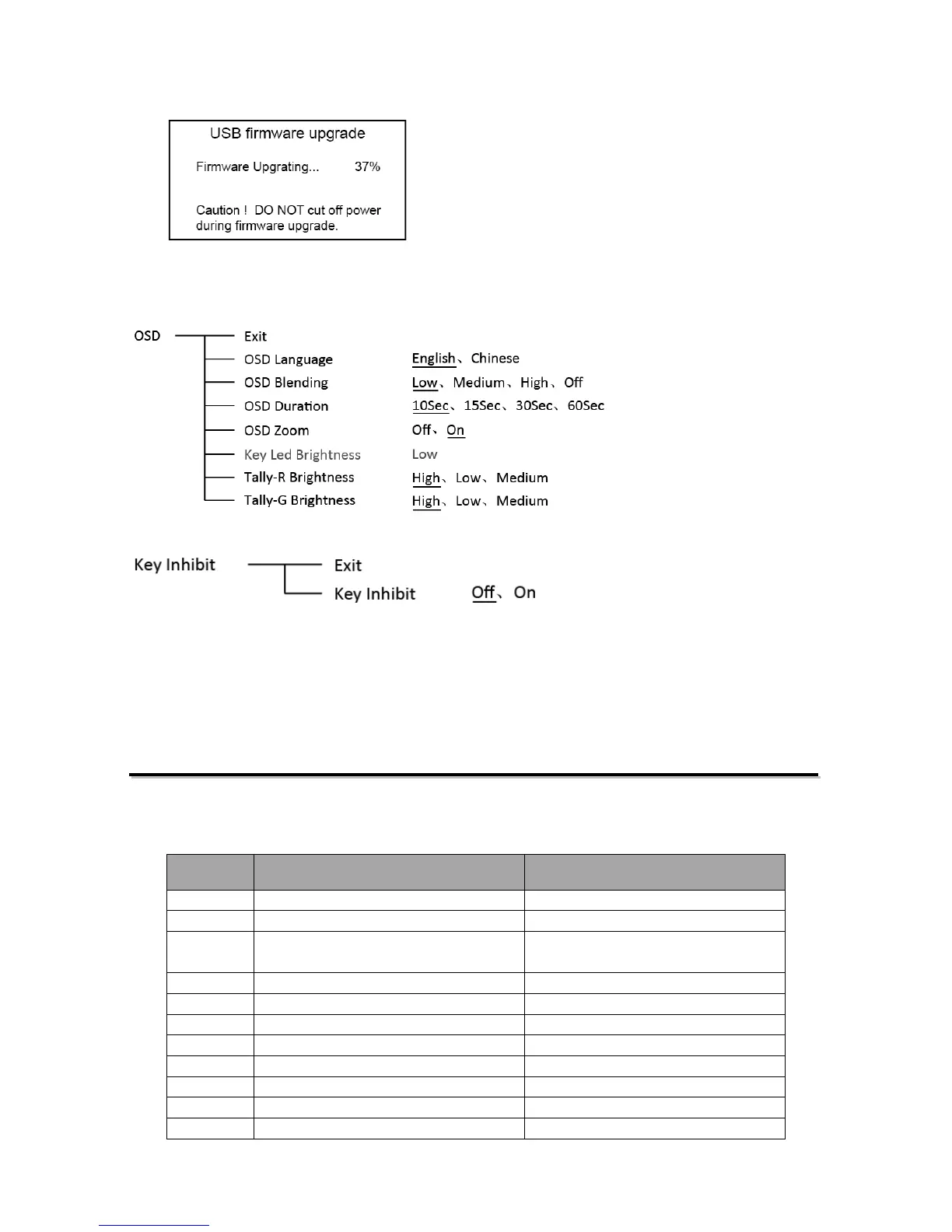
been successfully completed.
After upgrading, the monitor will auto restart.
11. OSD
12. Key Inhibit
If the “Key Inhibit” is “On”, there is no response when all the buttons expert ” MENU/ENTER” are
pressed, the sreen will be displayed as ” Key Inhibit”.
User can set “Key Inhibit” under “key Inhibit” submenu to “Off” to recover the functions of all
buttons.
Optional Battery Plate
1. Battery Mount choice
S-1071H+ monitor can use V-mount, Gold mount and various DV batteries by connecting with SWIT
S-7004 series battery plates. There’re following types of S-7004 for choice:
Model Compatible battery type Recommended SWIT battery

S-7004F
SONY L series NP-F770/970
S-8972, S-8970, S-8770
S-7004U
SONY BP-U series U60/30
S-8U63
S-7004D Panasonic CGA-
D54/D28 and
VW-VBD58
S-8D62, S-8D58
S-7004B
Panasonic VW-VBG6
S-8BG6
S-7004J
JVC BN-V428U
S-8428
S-7004V
JVC BN-VF823
S-8823
S-7004I
JVC SSL-JVC50
S-8I50
S-7004C
Canon BP series BP-930/945/970G
S-8945, S-8845
S-7004E
Canon DSLR, LP-E6
S-8PE6
S-7004S
SONY V-mount batteries
S-8080S, S-8110S, S-8160S.etc
S-7004A
Anton Bauer Gold mount batteries
S-8080A, S-8110A, S-8160A.etc

Related product manuals