Operating your Sycamore Fan - Remote Control
34
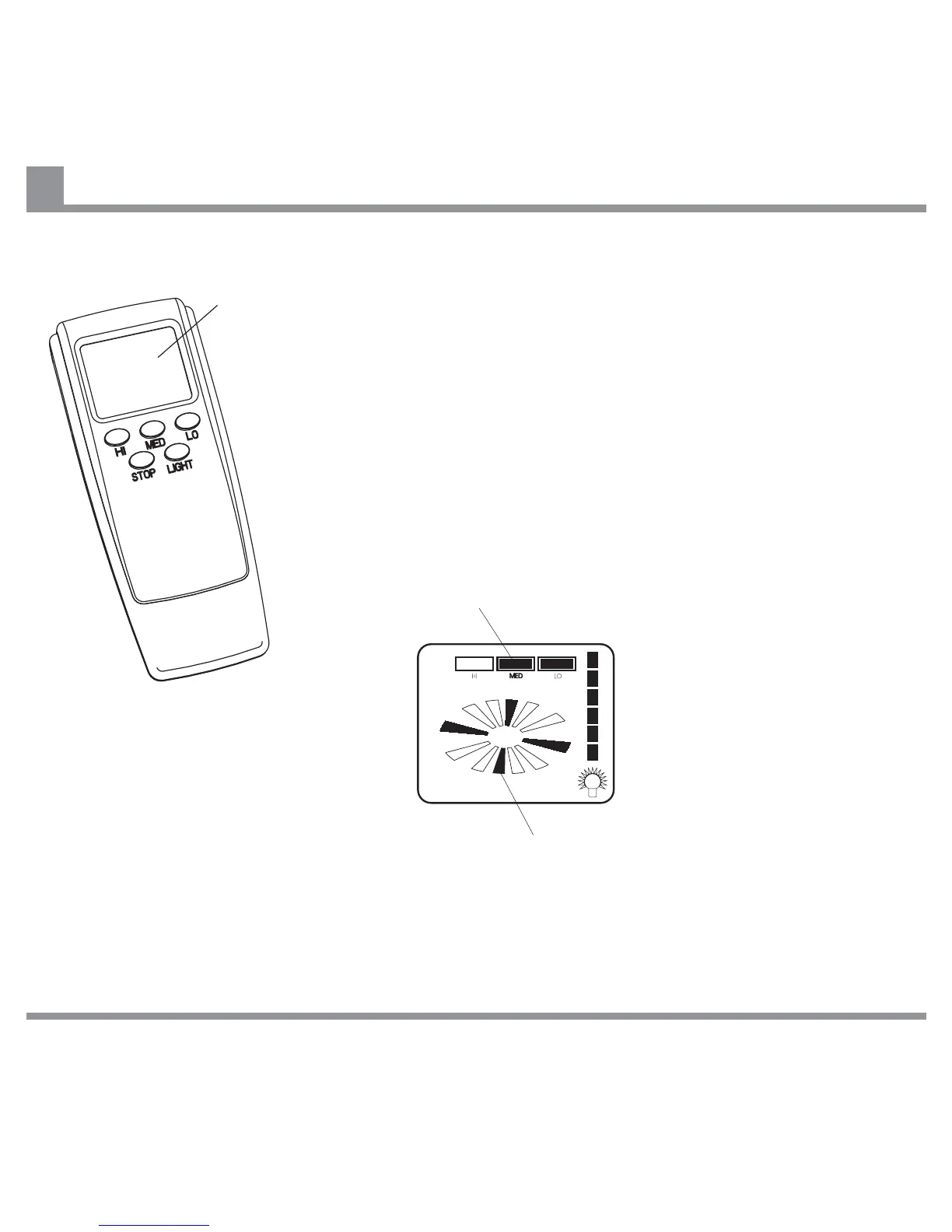
To operate your fan using a Remote Control Handset, press the HI,
MED or LO button to select the desired speed.
To turn the fan off, press the STOP button.
To change between speeds, press the button for the new speed.
There is no need to stop the fan when changing speed.
The LIGHT button has no function on the Sycamore fan.
If the Remote Control Handset for your fan has an LCD display,
refer to the diagram below for an explanation of the symbols
displayed on the LCD screen.
LCD Screen
Speed Indicator
This symbol flashes when the fan is rotating.
IF THERE ARE ANY PROBLEMS DURING INSTALLATION OF THE FAN, THE INSTALLER MUST CONTACT THE
HUNTER PACIFIC INTERNATIONAL WARRANTY LINE . TEL: 1300 360 280BEFORE LEAVING THE WORK SITE
Note:
Remote Control Transmitter may vary from one shown.


 To Next Page