8
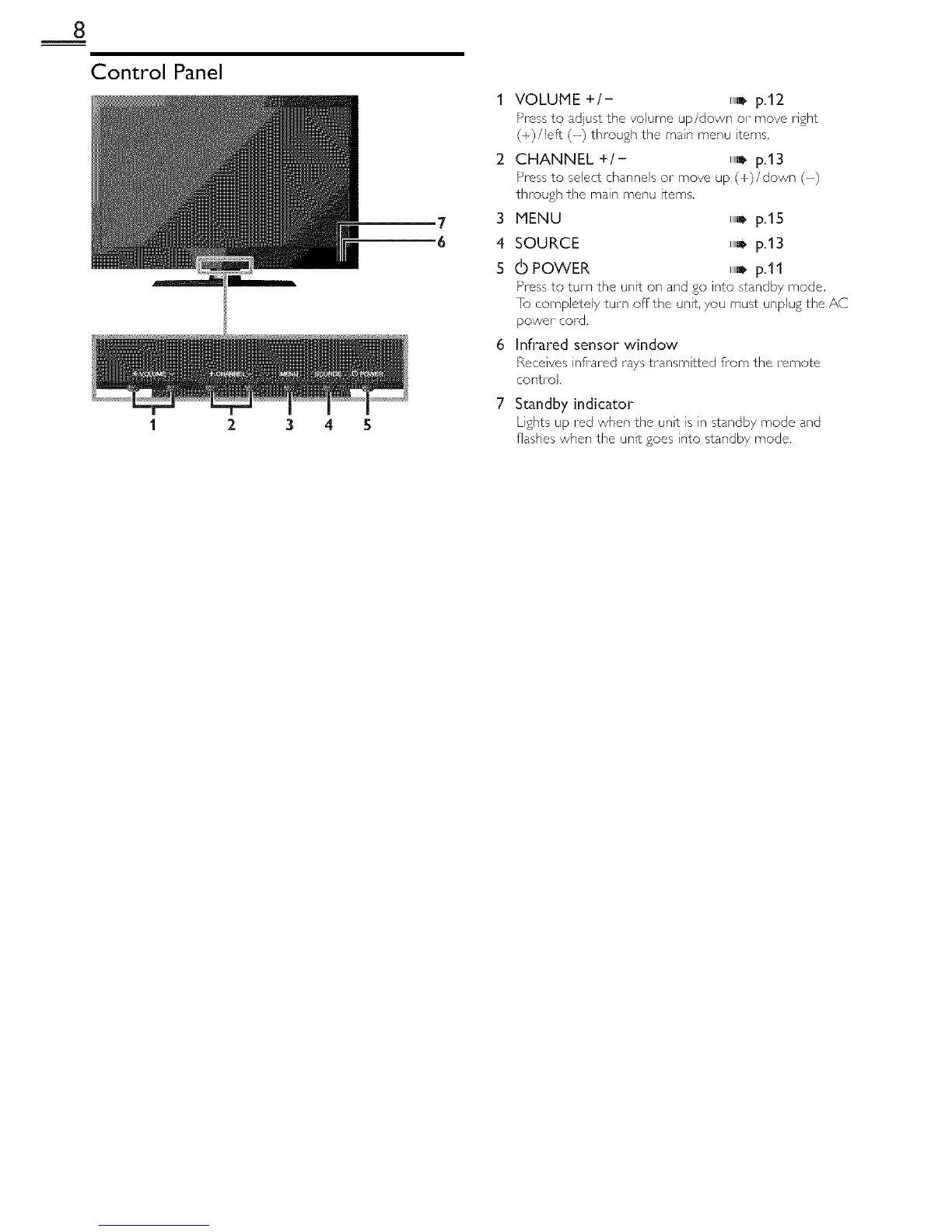
Control Panel
2 3 4 5
1 VOLUME +/- IIIl!" p.12
Press to adjust the volume up/down or move right
(+)/left (-) through the main menu terns,
2 CHANNEL +/- IIIl_ p.13
Press to select channels or move up (+)/down (-)
through the main menu items.
3 MENU IIll_ p.15
4 SOURCE ll,_ p.13
5 _ POWER ll,j p.ll
Press to turn the unit on and go into standby mode.
[o completely turn off the unit,/ou must unplug the AC
power cord.
6 Infrared sensor window
Receives infi'ared rays transmtted from the remote
control.
Standby indicator
Lights up red when the unt is n standby mode and
flashes when the unit goes nto standby mode.







 To Next Page