12. Body Cover
12-9
Body Cover
Removal
Remove the rear carrier, luggage box and seat
firstly.
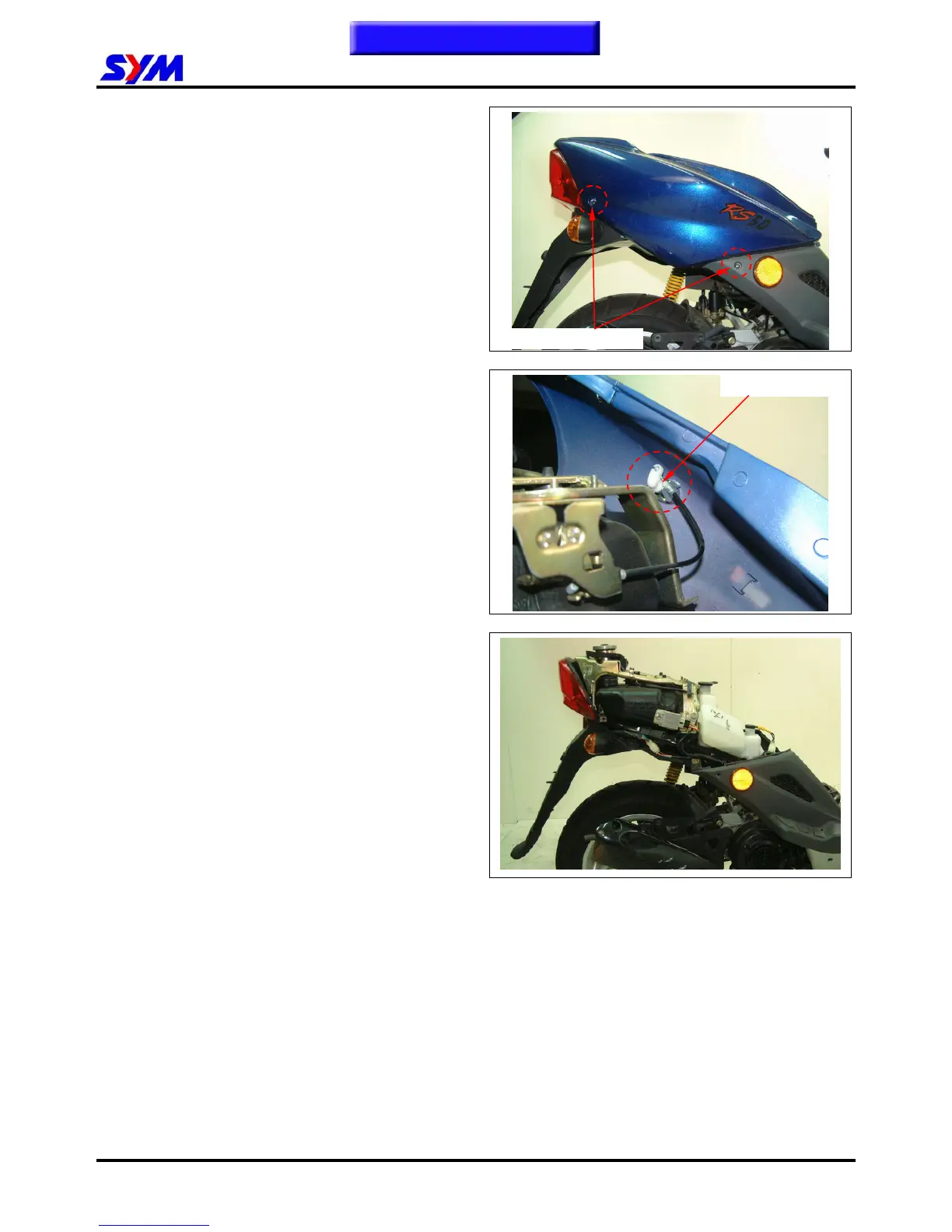
Remove the body cover mounting screw. (2
screws on each side)
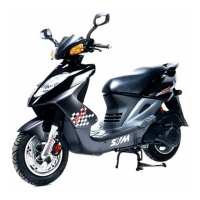
Gently split out the body cover a little bit with
hands and then lift the cover up slightly. Then,
remove the seat locker cable.
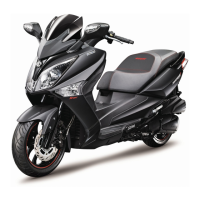
Remove the body cover.
Installation
Install according to the reverse procedure of
removal.
Screws on each side
Seat locker cable
This Chapter Contents


 To Next Page