8 LS7708
5. Insert four screws through the holes and fasten to the mounting surface.
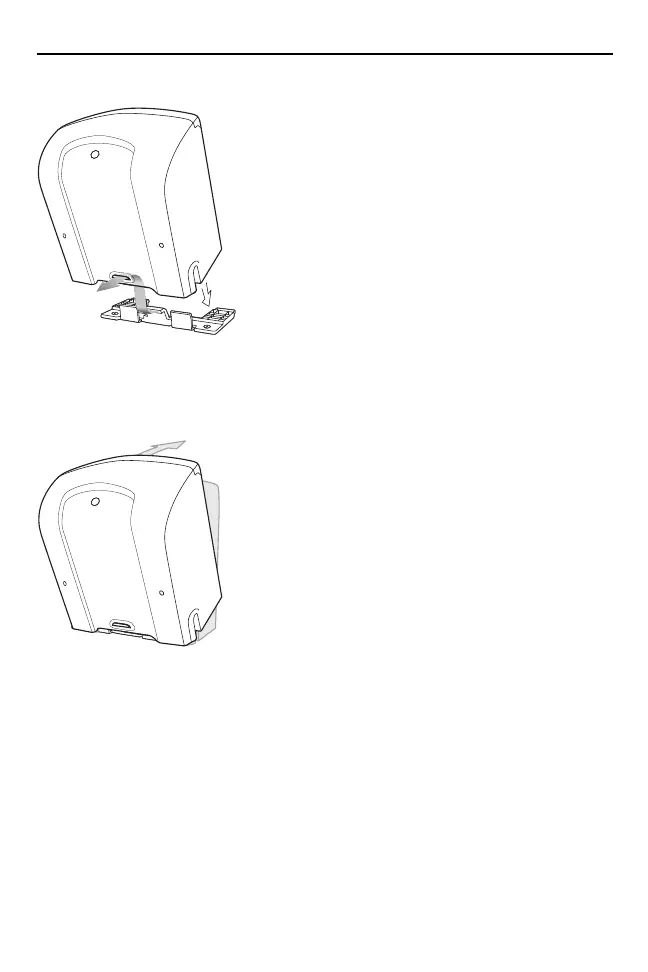
6. Align the slot at the back of the scanner with the plastic tab on the mounting
bracket.
7. Angle the scanner slightly to allow the bracket plastic tab to slide into the slot.
8. Push the scanner towards the plastic tab and rotate it so that it is perpendicular
to the mounting surface.
9. Release the pressure on the scanner. The bracket locks into place.
6953007a.fm Page 8 Wednesday, April 15, 2015 3:23 PM



 To Next Page