7
2D Desktop Barcode Scanner
(8410010.)
(8410011.)
(8410091.)
(8410092.)
(8410093.)
(8410090.)
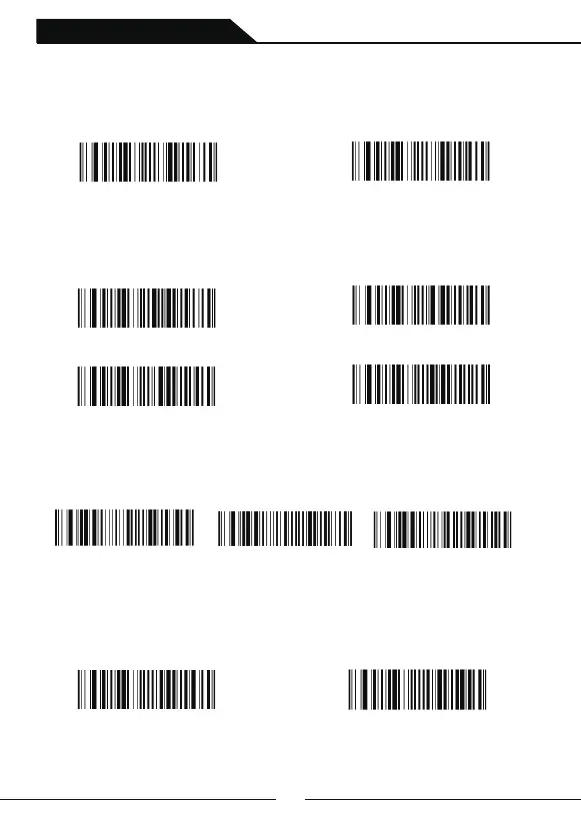
Buzzer Setting when Decode successfully
Buzzer ON or OFF Setting
Scan following setting codes to choose buzzer on or off of when decode successfully.
Default setting is buzzer on.
Volume Settings
Scan the following setting code to choose the volume of buzzer of when decode
successfully.Default setting is high.
Frequency Settings
Scan the following setting codes to choose the buzzer frequency of when decode
successfully.Default setting is middle
Buzzer OFF
Low
Middle
*High
Low( 1600 Hz) * Middle( 2400 Hz) High(4200 Hz)
OFF
*Buzzer ON
(8410061600.)
(8410064200.)
(8410020.)
(8410021.)
Beep Status Setting after Decoding Successfully
Scan following setting code to choose normal beep or short beep of when decode
successfully.Default setting is normal beep.
* Normal Beep Short Beep
(8410062400.)



 To Next Page