1-7-1 T2127EA
ELECTRICAL ADJUSTMENT INSTRUCTIONS
General Note:
"CBA" is abbreviation for "Circuit Board
Assembly."
NOTE:
Electrical adjustments are required after replacing
circuit components and certain mechanical parts.
It is important to perform these adjustments only
after all repairs and replacements have been com-
pleted.
Also, do not attempt these adjustments unless the
proper equipment is available.
Test Equipment Required
1. NTSC Pattern Generator (Color Bar W/White Win-
dow, Red Color, Dot Pattern, Gray Scale, Mono-
scope, Multi-Burst)
2. AC Milli Voltmeter (RMS)
3. Alignment Tape (FL8A, FL8N), Blank Tape
4. DC Voltmeter
5. Oscilloscope: Dual-trace with 10:1 probe,
V-Range: 0.001~50V/Div,
F-Range: DC~AC-60MHz
6. Frequency Counter
7. Plastic Tip Driver
8. Color Analyzer
How to make service remote control
unit:
1. Prepare normal remote control unit
(Part No. NE206UD)
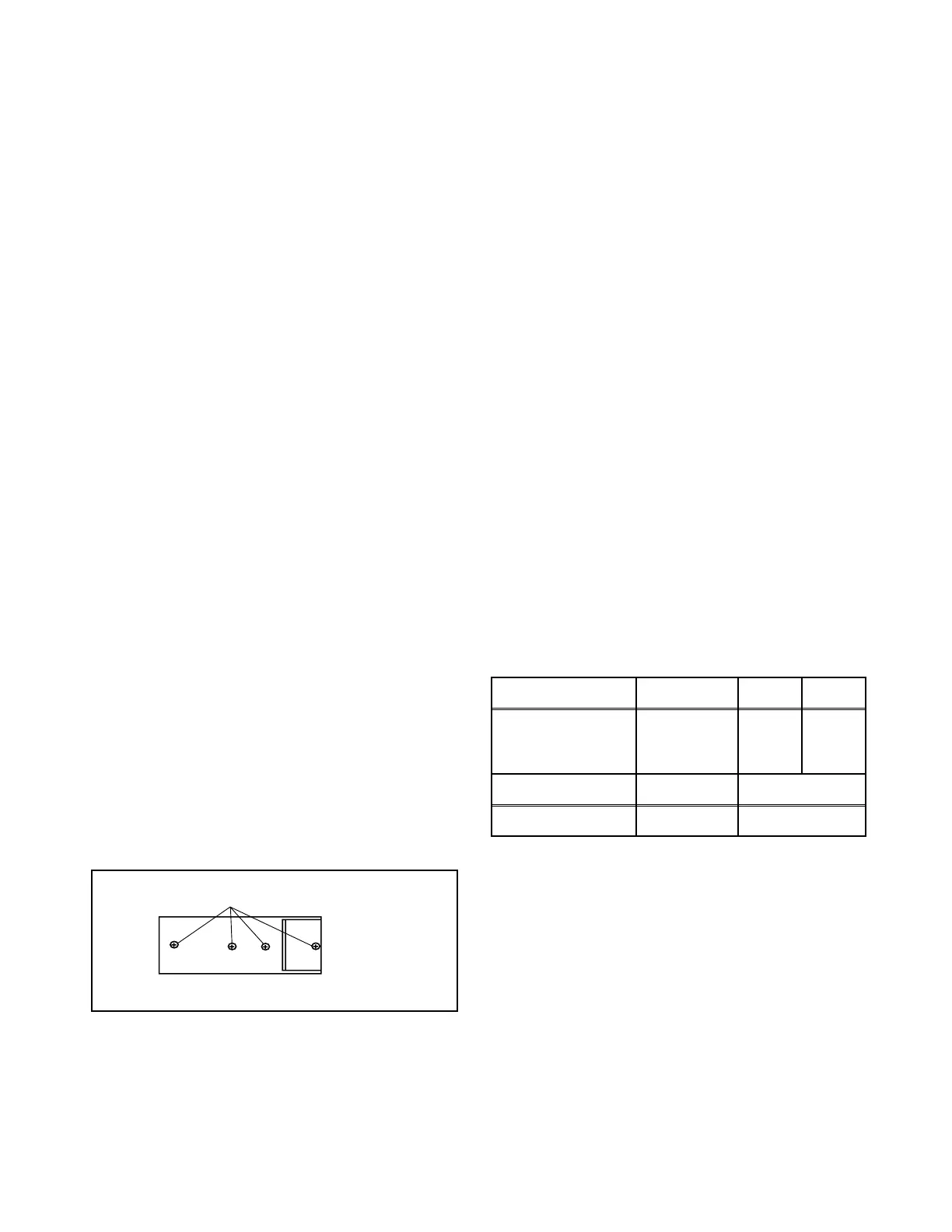
Remove 4 screws from the back lid (Fig. 1-1).
2. Cut off pin 10 of the remote control microprocessor
and short circuit pins 10 and 17 of the microproces-
sor with a jumper wire.
How to Set up the Service mode:
Service mode:
1. Use the service remote control unit.
2. Turn the power on. (Use main power on the TV
unit.)
3. To enter the TV mode, press [CH. o / p] button on
the TV unit.
4. Press [DISC MENU] button on the service remote
control unit. Version of micro computer will display
on the CRT. (Ex: 057-001)
X-Ray Protection Test
X-Ray protection test should be done when replacing
any parts of this chassis.
1. Short both ends of R2592 (on Sub CBA).
2. Confirm that the main power turns off.
3. If the main power does not turn off, then replace
the following parts (D2591, Q2591, R2592, R2593,
R2594 and IC1201).
4. Perform steps 1 to 3 again.
1. DC 127V (+B) Adjustment
Purpose: To obtain correct operation.
Symptom of Misadjustment: The picture is dark and
unit does not operate correctly.
Note: D1613 Cathode (+B), HEAT SINK,
VR1601 --- Main CBA
1. Connect the unit to AC Power Outlet.
2. Connect DC Volt Meter to D1613 Cathode (+B) and
HEAT SINK (GND).
3. Adjust VR1601 so that the voltage of D1613 Cath-
ode (+B) becomes +127±1.0V DC.
SCREW
Fig. 1-1
Remote control unit (Bottom)
Test point Adj. Point Mode Input
D1613 Cathode
(+B),
HEAT SINK (GND)
VR1601 --- -----
Tape M. EQ. Spec.
--- DC Voltmeter +127±1.0V DC



 To Next Page