6
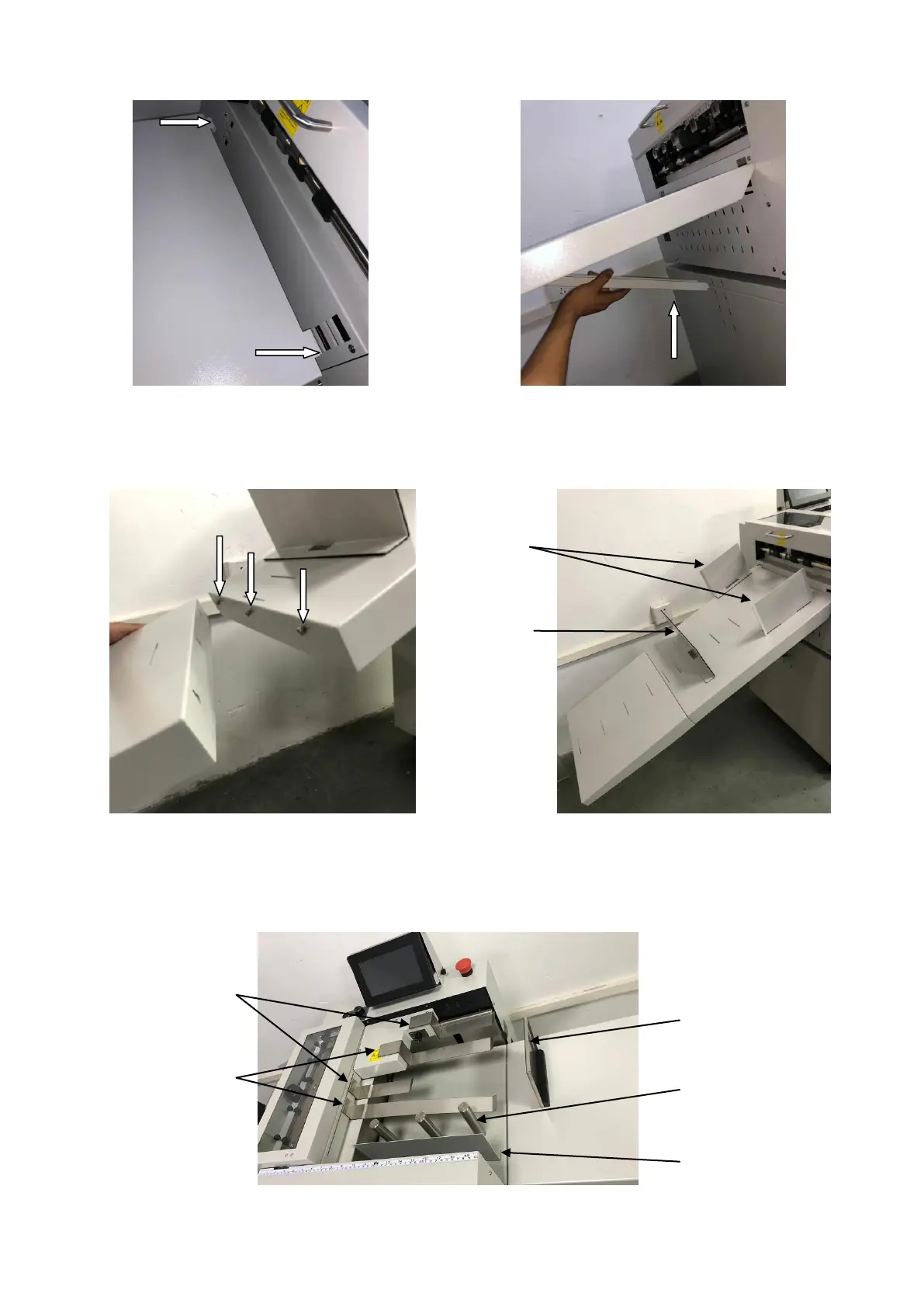
3.3 Install the stacker.
Step 1: Insert 2 hooks of the stacker into 2 holes. Step 2: Choose a proper angle then insert the
supporting bar.
3.4 Extension stacker, Side lays & End stop.
Side lay
End stop
Use 3 screws to fix the extension stacker to the stacker. The extension stacker, the side lays
and the end stop should be adjusted according to the ejecting situation.
3.6 Paper press & guides.
Short Paper Press
End Stop
Long Paper Press Cylinder Side
Guide
Side Guide



 To Next Page