WEB SERVER
Firstly configure the appropriate settings for your network in the Ethernet options menu. Once configured
correctly connect the port labelled “LAN” to your router.
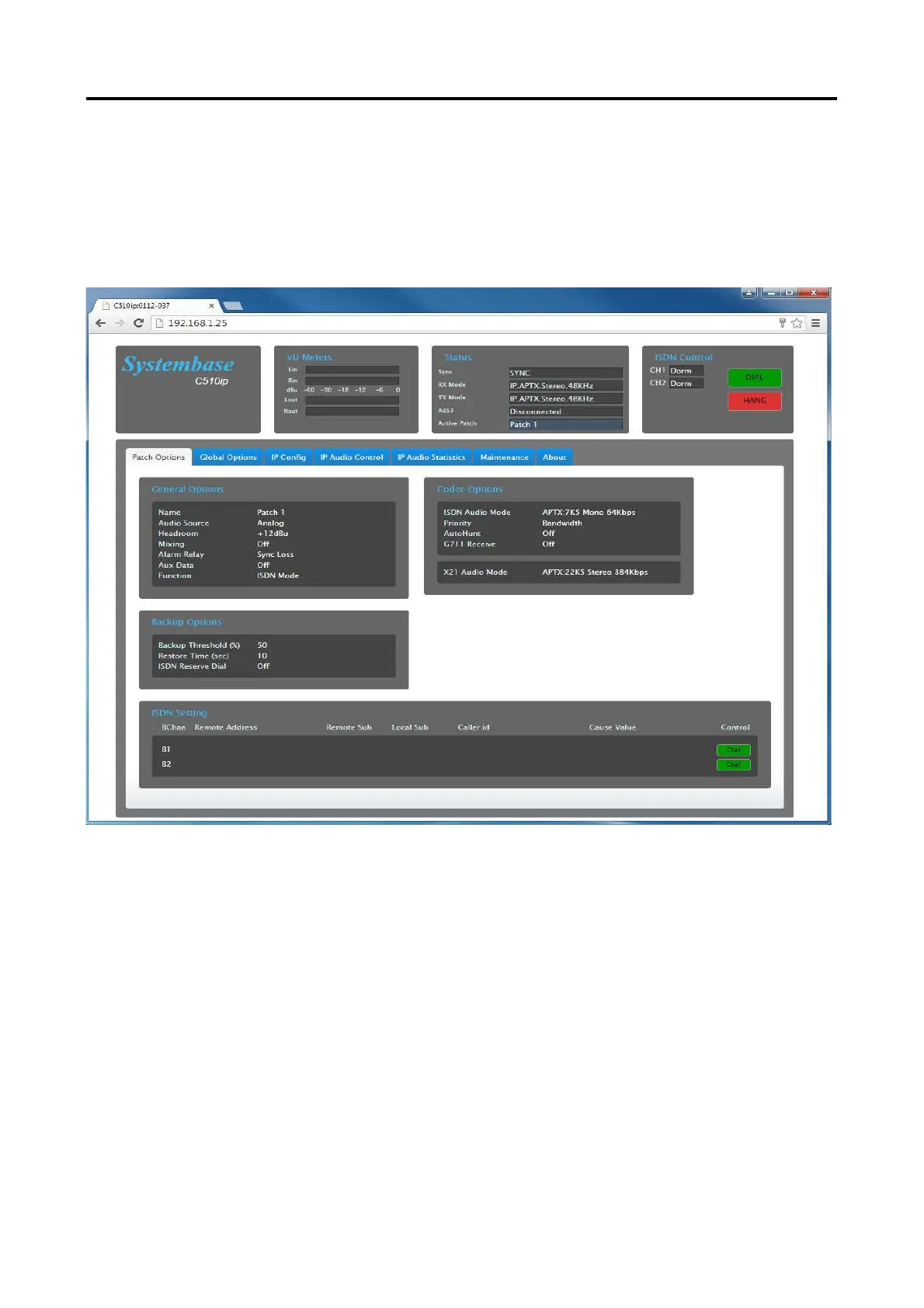
On your computer web browser type in the IP address of the codec (http://192.168.0.2).
A Windows Login screen will be displayed. The default Username is “admin” and the default password is
“admin”. If you wish to disable the password prompt then simply leave the password field blank.
The screen shots below shows the layout of the Webserver for the C510xr/C520xr Codec.



 To Next Page