TAC AB, Feb 2000
2:6
General
TAC 200 User’s Manual
If you keep pressing the + or – key, the value will change more rapidly in
several levels.
If no key has been touched for about two minutes, the display will always
revert to P:00, current time / operating mode.
Some of the values are display-only, for example P:02, the outdoor
temperature. These P: selections are written in italics in the leaflet, to
indicate that the displayed values cannot be changed by the operator.
Depending on the configuration of the system (section 2.4), i e what kind
of units are connected, some of the P: functions may be omitted on the
display.
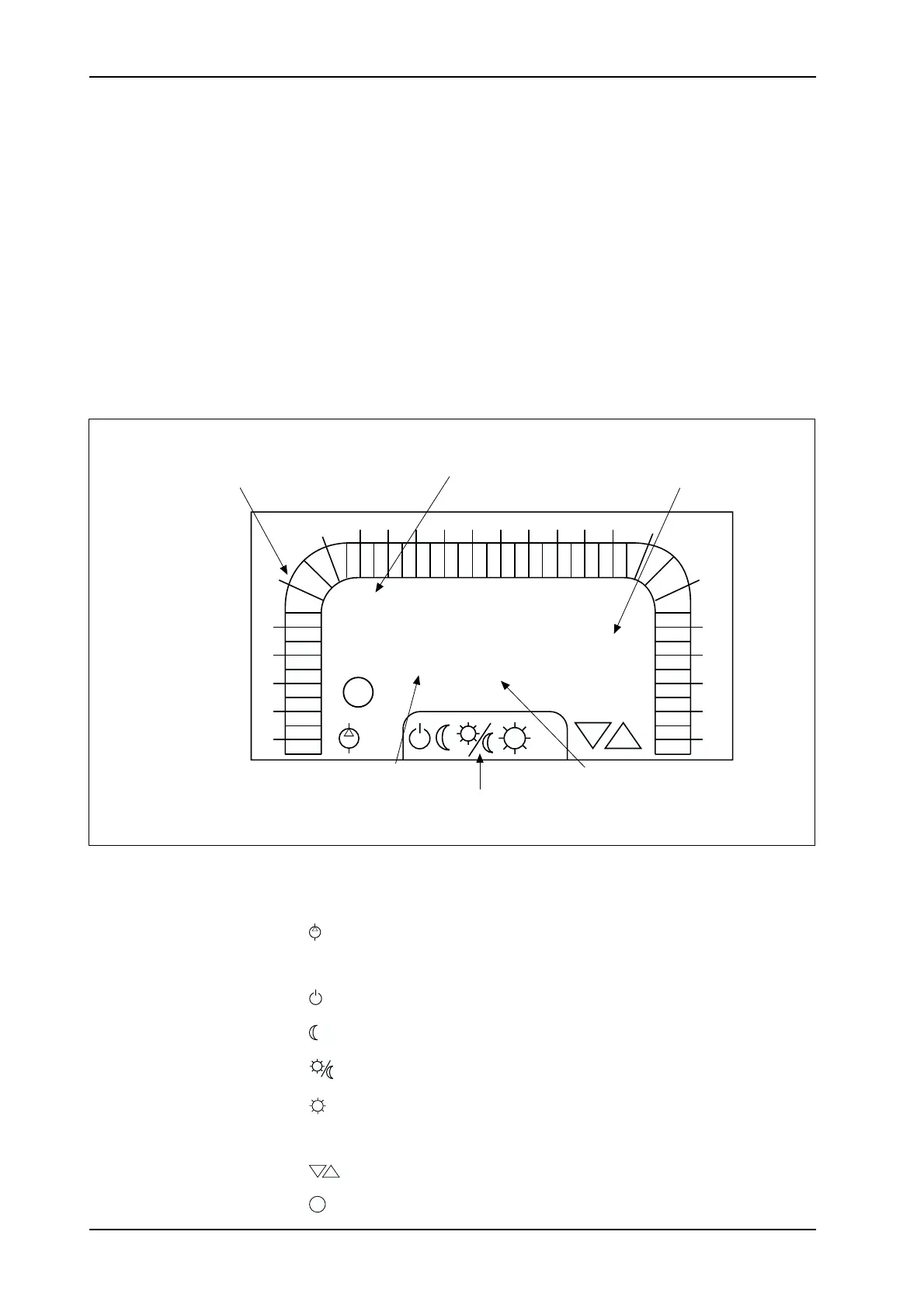
The TAC 200 panel display has a number of letters and symbols which
are used to indicate status or assist in the input.
A lighted symbol has the following meaning.
Pump is active.
Time program 2 indicates ON.
Operation mode Forced Off: see section 3.2.
Operation mode Forced Night time / flashing if forced externally.
Operation mode Automatic: – Time program 1 is in control.
Operation mode Forced Day time / flashing if forced externally
On/off control: Stage 1, Stage 2 connected.
Mixing valve: Closing, Opening.
Flashing when power limiting is active.
K4
I II
!
TAC 200 Operator panel.
12:34
MO TU WE TH FR SA SU
0
1
2
3
4
5
7
6
89
10
11
12
13 14 15 16
17
18
19
20
21
22
23
24
K4
!
°C
AM
P:00
Ι ΙΙ
Selected P-function Corresponding value
These symbols are
described in the text
below
30 mins. segment used with
time program 1 and 2.
Filled segment indicates
Day time operation
Week-days used with time
program 1 and 2.
Selected days are shown.
AM/PM and °C only
appear when 12h-clock
or temperature is
displayed.



 To Next Page
 Loading...