-37-
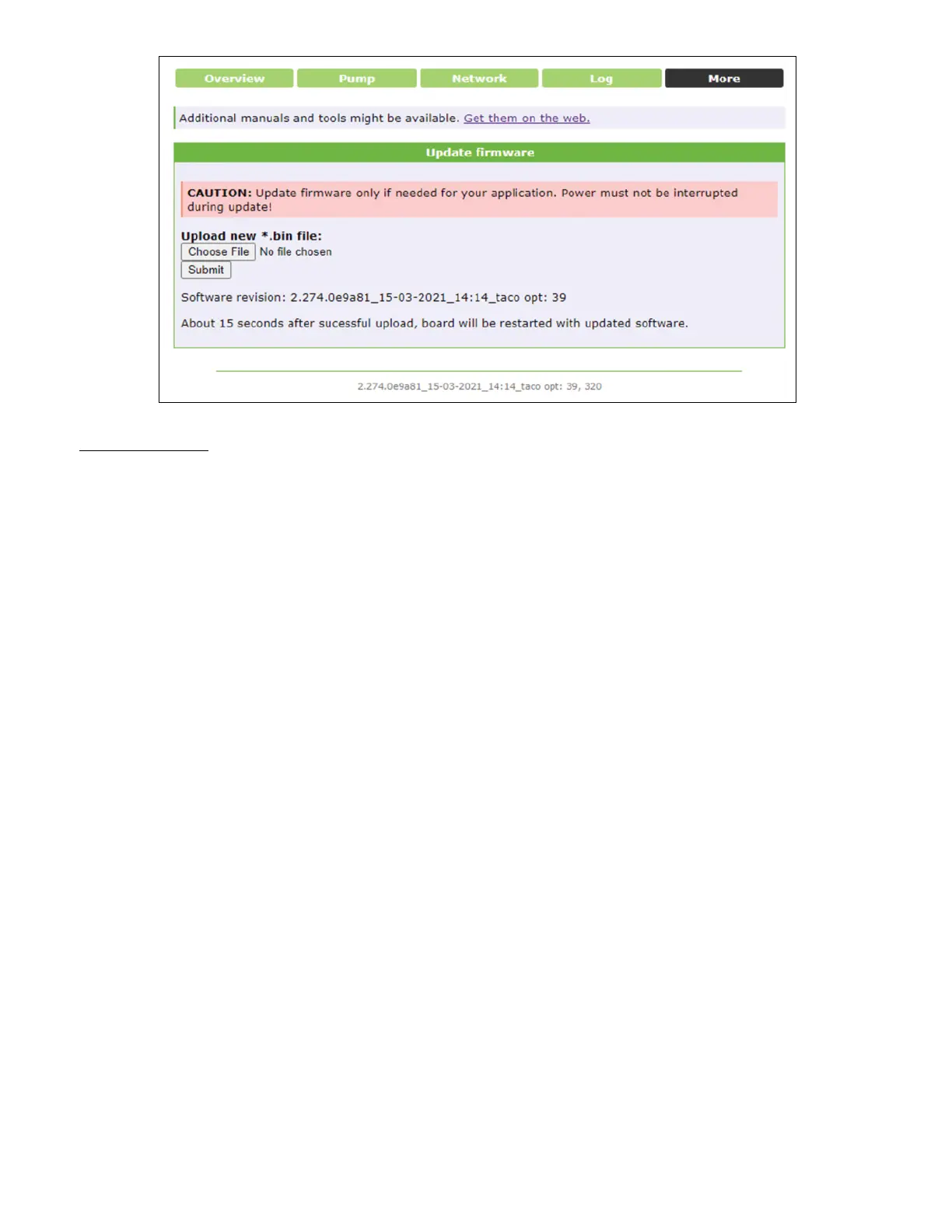
MORE:
Update Firmware: For uploading updates to the software or rmware
Summary Notes:
• For the best troubleshooting experience (product or application) ensure screenshots are taken
of at least the Overview and Pump pages
• Always click “Save” when changing settings (Pump and Network)
• If changing the main IP address, it is very important to record and post the new IP address
• Look for network LEDs to light up where the ethernet cable connects to the pump and computer
• Standard or crossover ethernet cable for computer to pump communication
• Crossover cable required for pump-to-pump communication



 To Next Page