17
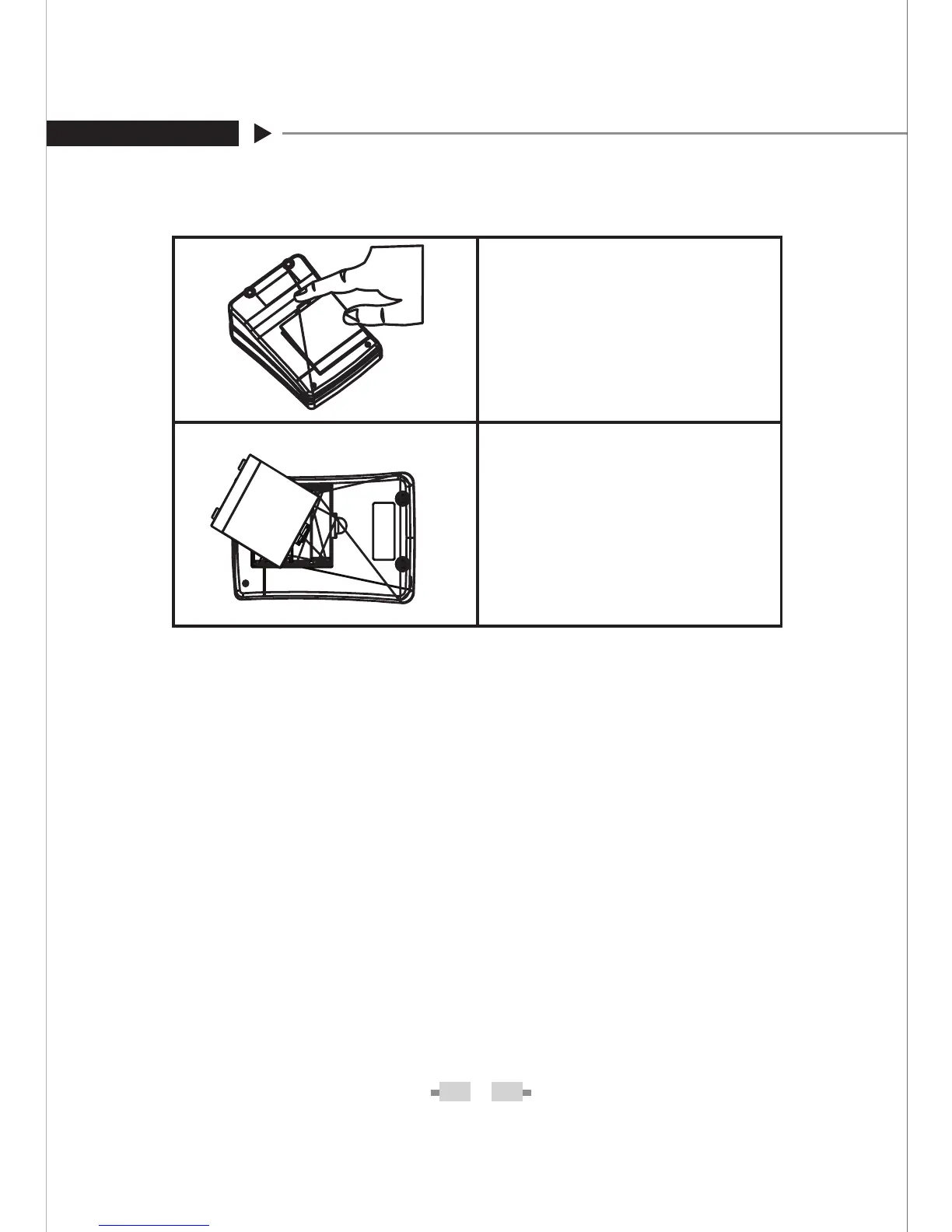
STEP 1- Press the edge of
the battery cover and pull up.
Lift the battery cover and re-
move the batteries inside.
STEP 2- Insert four 1.5 V AA
size alkaline batteries. Make
sure the + (positive) and –
(negative)
marks match as
indicated in the battery com-
partment. If inserted correctly,
you will hear a “beep”.
Make sure the monitor is off when replacing the batteries.
CAUTION
Do not use different type, date or brand name batteries to-1.
gether. Use only new batteries of the required size and type.
Replacing the batteries does not affect previous test results 2.
stored in the monitor. But you may need to update the set-
tings.
Batteries might leak chemicals if not used for a long time. Re-
3.
move the batteries if you are not going to use the device for an
extended period (i.e.3 months or more).
As with all small batteries, the batteries should be kept away 4.
from small children who still put things in their mouths. If they
are swallowed, promptly see a doctor for help.
Discard batteries according to your local regulations.5.
+
-
+


 To Next Page