31
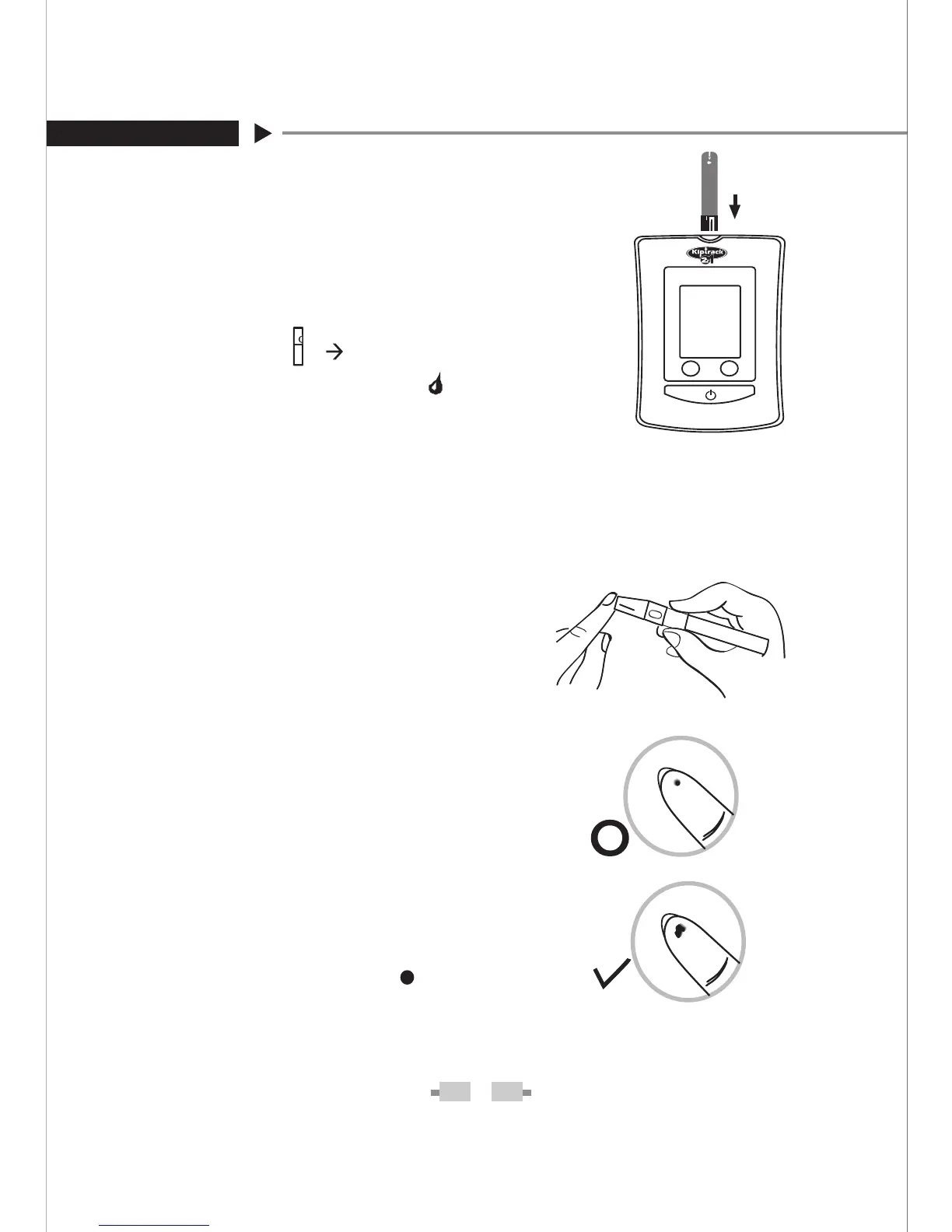
STEP 2- Insert the test strip.
Insert a test strip with contact bars end
first and facing up into the test slot. The
monitor turns on automatically and dis-
plays the following in sequence:
“CHK” and “
“ ”
”
then ambient
temperature
and flashing
M S
M
S
STEP 3. Get a drop of blood.
Select a puncture site on your finger.
Clean the puncture site with
70% alcohol cotton and let it air-dry.
Select the puncture site on fingertip.
Hold the lancing device firmly
against
the .puncture site
Press the release
button. You will hear a click,
indicating that the puncture is com-
plete.
After penetration, discard the first
drop of blood with a clean tissue pa-
per or cotton. Then gently squeeze
the punctured area to obtain blood.
But pay attention
NOT to smear the
blood sample.
The volume of blood sample must be
at least 1.8 microliter (
actual size).


 To Next Page