12
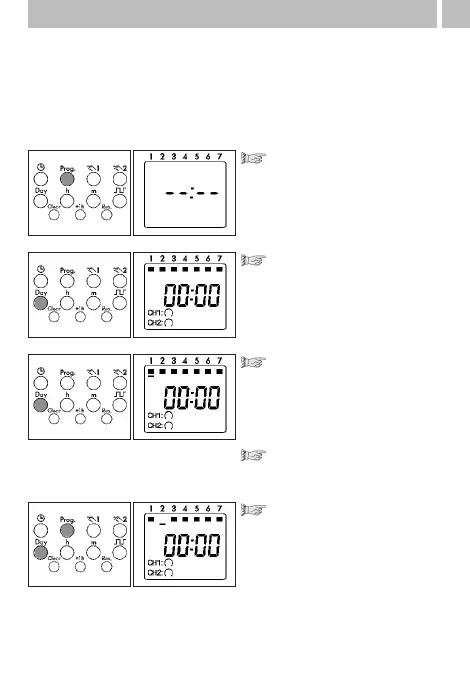
Select free memory location:
Press Prog as often as
necessary until – –:– –
appears
Press the Day key once
All 7 days of the week are
active
Activating/deactivating
days of the week:
Press the Day key once.
There is a cursor under the
number1 (2...7)
Activate/deactivate the day
of week with the Day key
Any combination of weekdays
You determine the weekdays for your switching program.
1 - Monday, 2 - Tuesday, 3 - Wednesday ..., 7 - Sunday
Example: Monday + Wednesday + Friday
(8:00 ON; 20:00 OFF)
8. Block formation of weekdays
Select the next day of the week:
Move the cursor with the Prog
key
activate/deactivate the
day of the week with the
Day key



 To Next Page